What a Program Really Is
Before any language or tool: a program is a list of exact instructions a computer follows, one step at a time. Here is what that means and why it matters.
You've probably followed a recipe that skipped a step. "Add the eggs", but it never said to beat them first. You filled the gap without thinking, because you're a person and you knew what the writer meant.
A computer can't do that. It has no idea what you meant. It only knows what you wrote, and it will follow those words exactly, at billions of steps per second, even when they make no sense.
That's what this lesson is about: what a program really is, why computers are so literal, and how to run your very first line of code, right now, in the browser you already have.
A program is a recipe
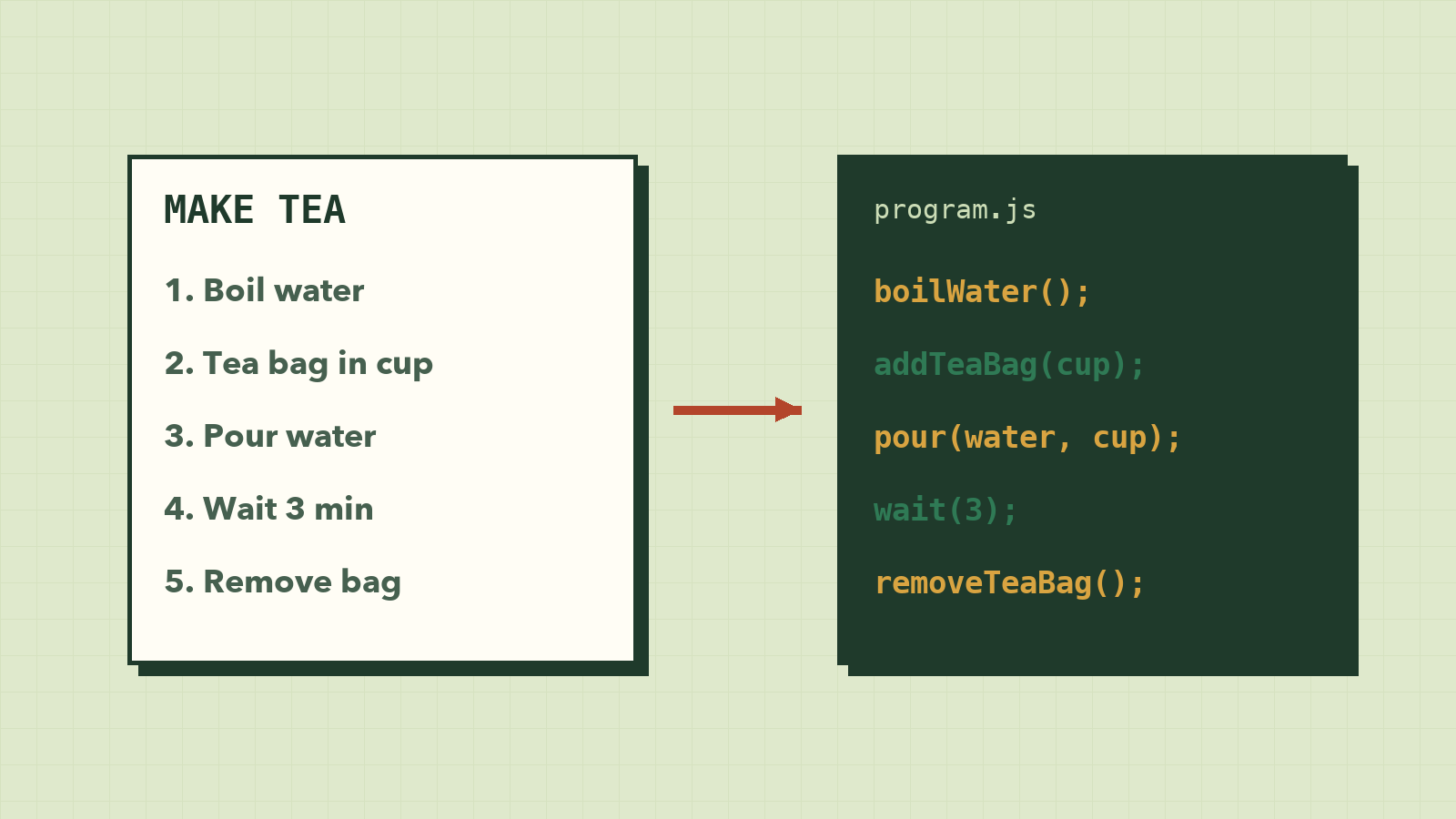
Think about a recipe for making tea:
- Boil water.
- Put a tea bag in a cup.
- Pour the hot water into the cup.
- Wait 3 minutes.
- Remove the tea bag.
That is a program. A program is a list of instructions, written in order, that someone follows to get a result.
The only difference is who follows it. A recipe is for a person. A computer program is for a computer.
Computers are fast, but very literal
A person reading "boil water" knows to use a kettle, fill it to a sensible level and switch it on. A computer knows none of that. It does exactly what you write, nothing more and nothing less.
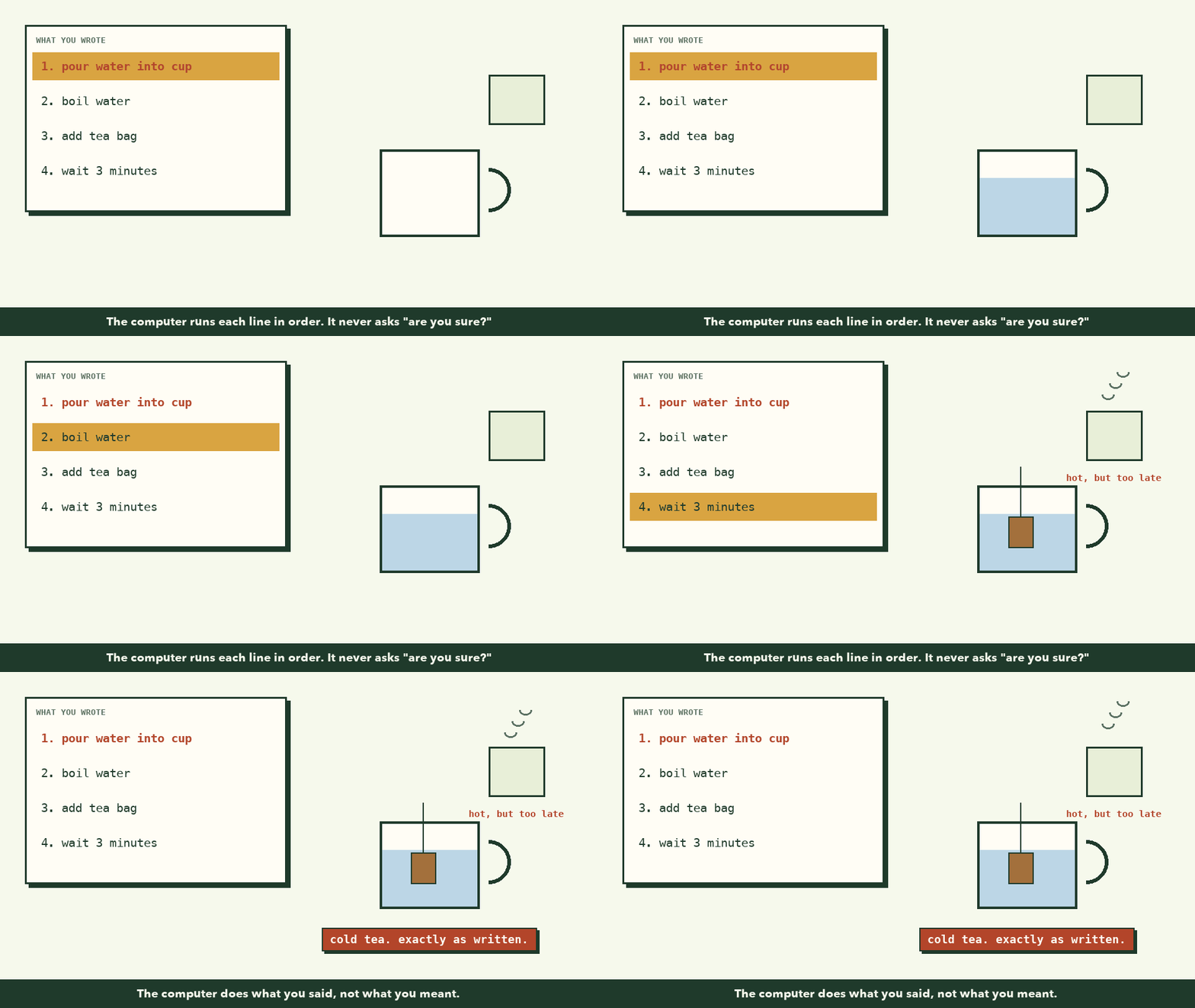
If you tell a computer to "pour water into the cup" before you told it to boil the water, it will pour cold water. It will not stop and say "that seems wrong". This is the most important idea in this whole course:
The computer does what you said, not what you meant.
Most bugs, for beginners and for professionals, come from the gap between those two things. Learning to program is mostly learning to close that gap: saying exactly what you mean, in the right order.
Every program does three things
No matter how big a program is, from a calculator to Facebook, it does the same three things over and over:
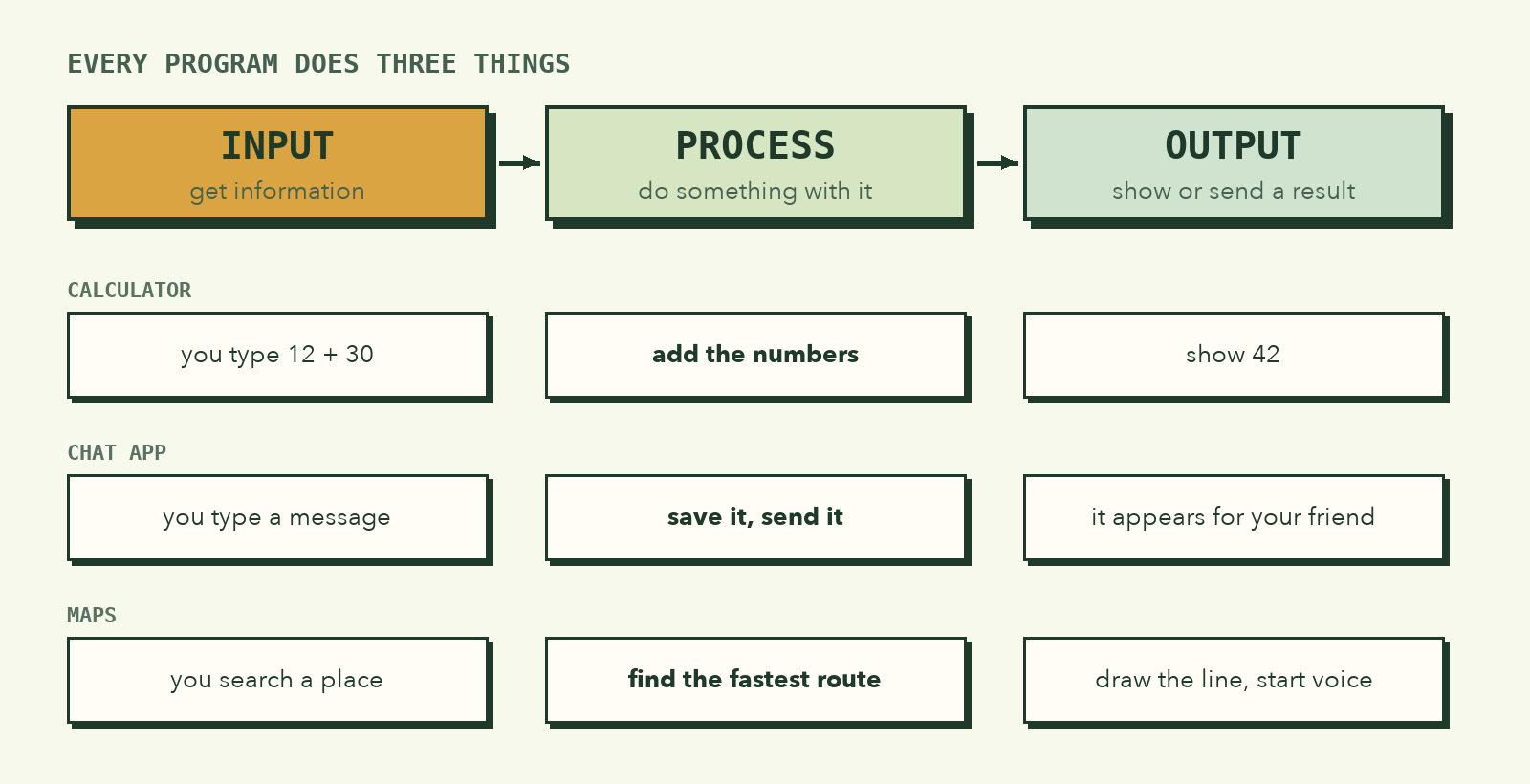
| Step | What it means | Example: a calculator | Example: a chat app |
|---|---|---|---|
| Input | Get information from somewhere | You type 12 + 30 |
You type a message |
| Process | Do something with it | Add the numbers | Save it, send it to your friend |
| Output | Show or send a result | Show 42 |
The message appears on both screens |
When you look at any app on your phone, try to spot these three steps. It trains your brain to see programs everywhere.
Code is just a language for instructions
People write instructions for computers in programming languages such as JavaScript, Python, Swift or Dart. They look different, but they all describe the same kinds of steps.
Here is the same instruction, "show the text Hello", in three languages:
// JavaScript
console.log("Hello");
# Python
print("Hello")
// Swift
print("Hello")
In this course we use JavaScript, because it runs in every web browser. You already have everything you need.
Run your first line of code
Let's do it now. It takes one minute.
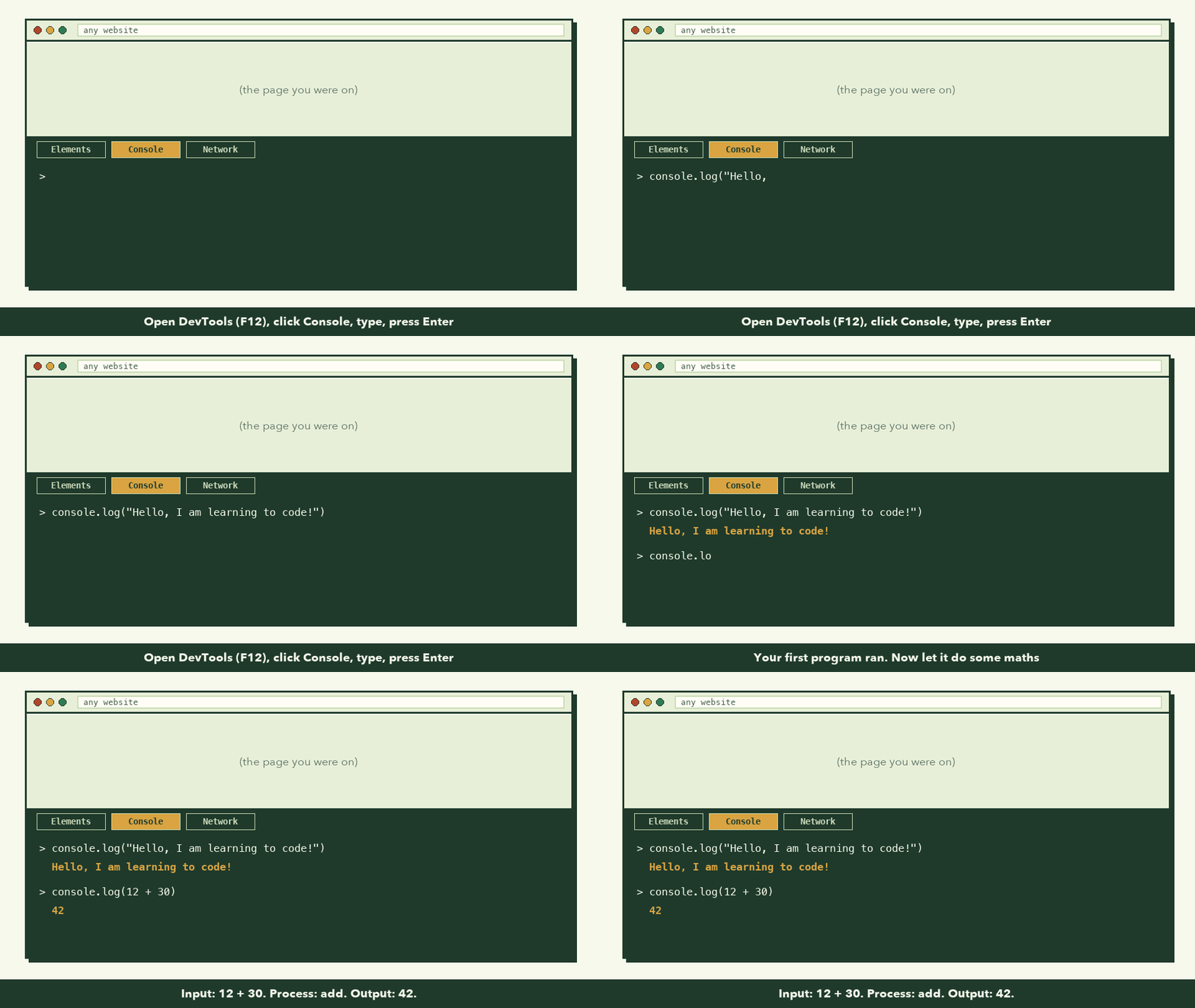
- Open Chrome, Edge or Firefox on your computer.
- Press
F12(orCmd + Option + Jon a Mac) to open the Developer Tools. - Click the Console tab.
- Type this and press Enter:
console.log("Hello, I am learning to code!");
You should see your message printed below. Congratulations: you just wrote a program, and a computer followed it.
Now try a little processing:
console.log(12 + 30);
The computer did the maths (process) and showed you 42 (output).
Tip: If Chrome shows a warning about pasting code, type the code yourself instead. It's better practice anyway.
The order matters
Because the computer follows steps one by one from top to bottom, the order of your lines changes the result. Try this in the console:
console.log("1. Boil water");
console.log("2. Pour water into the cup");
console.log("3. Put the tea bag in");
Now imagine swapping lines 1 and 2. The computer would happily pour cold water. It never questions the order; that's your job.
What to remember
- A program is a list of exact instructions a computer follows in order.
- Computers do what you said, not what you meant. Closing that gap is the core skill.
- Every program takes input, processes it and gives output.
- A programming language is just a precise way to write those instructions.
- You can run JavaScript right now in your browser's Console.
Try it yourself
- Write a "recipe" program for brushing your teeth using five
console.loglines. - Pick one app on your phone and write down its input, process and output.
- In the console, try
console.log(7 * 6)andconsole.log("7" + "6"). Why are the results different? (We'll find out in lesson 3.)
In the next lesson, we practise the most important programming skill of all: breaking a big, vague problem into small, clear steps.