Variables and Data Types
Programs need to remember things. Variables are named boxes that hold values, and data types tell the computer what kind of value is inside.
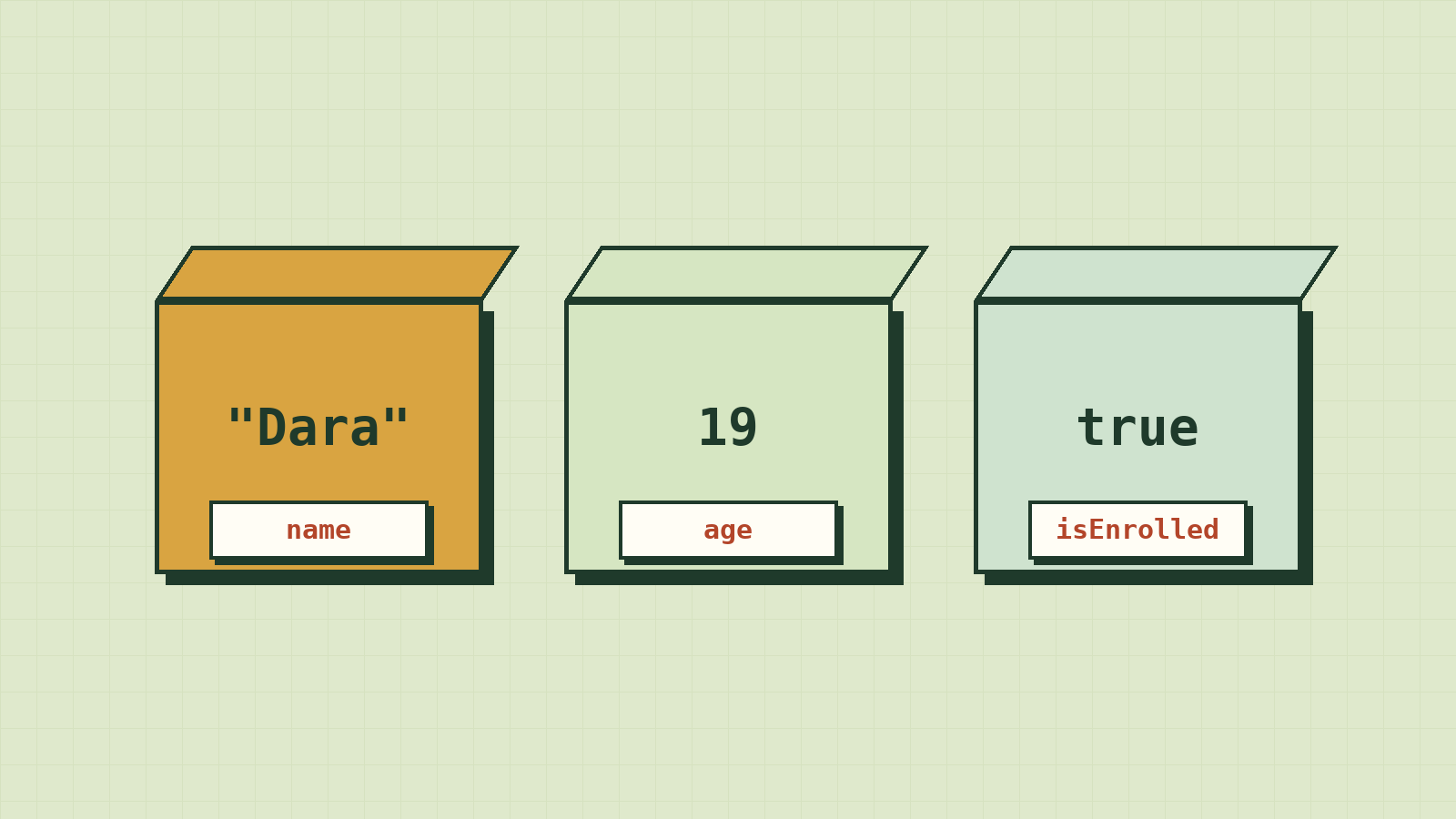
Think about everything your phone remembers while you use one app. Your name. What's in your cart. How far you scrolled. The message you started typing and haven't sent.
Programs need somewhere to keep all of that, and every one of those things is a different kind of information: some text, some numbers, some yes-or-no, some lists. Get the kind wrong, and you get bugs like "7" + "6" coming out as "76".
This lesson is about the boxes programs keep things in (variables) and the kinds of things that go inside them (data types).
A variable is a labelled box
Programs need to remember things: your name, the items in your cart, your score in a game. A variable is a box with a label on it. You put a value inside, and later you use the label to get it back.
const name = "Dara";
console.log(name); // Dara
Read the first line as: "Make a box labelled name and put "Dara" inside." The = sign here does not mean "equals" like in maths. It means "put this value into this box".
const and let
JavaScript has two ways to create a variable:
| Keyword | Meaning | Use it when |
|---|---|---|
const |
Constant: the box can't be given a new value | Almost always. Start with this. |
let |
The box can be given a new value later | The value really needs to change, like a score or a counter |
const birthYear = 2005;
let score = 0;

score = score + 10;  // allowed: score is now 10
birthYear = 2006;    // error! You can't reassign a const
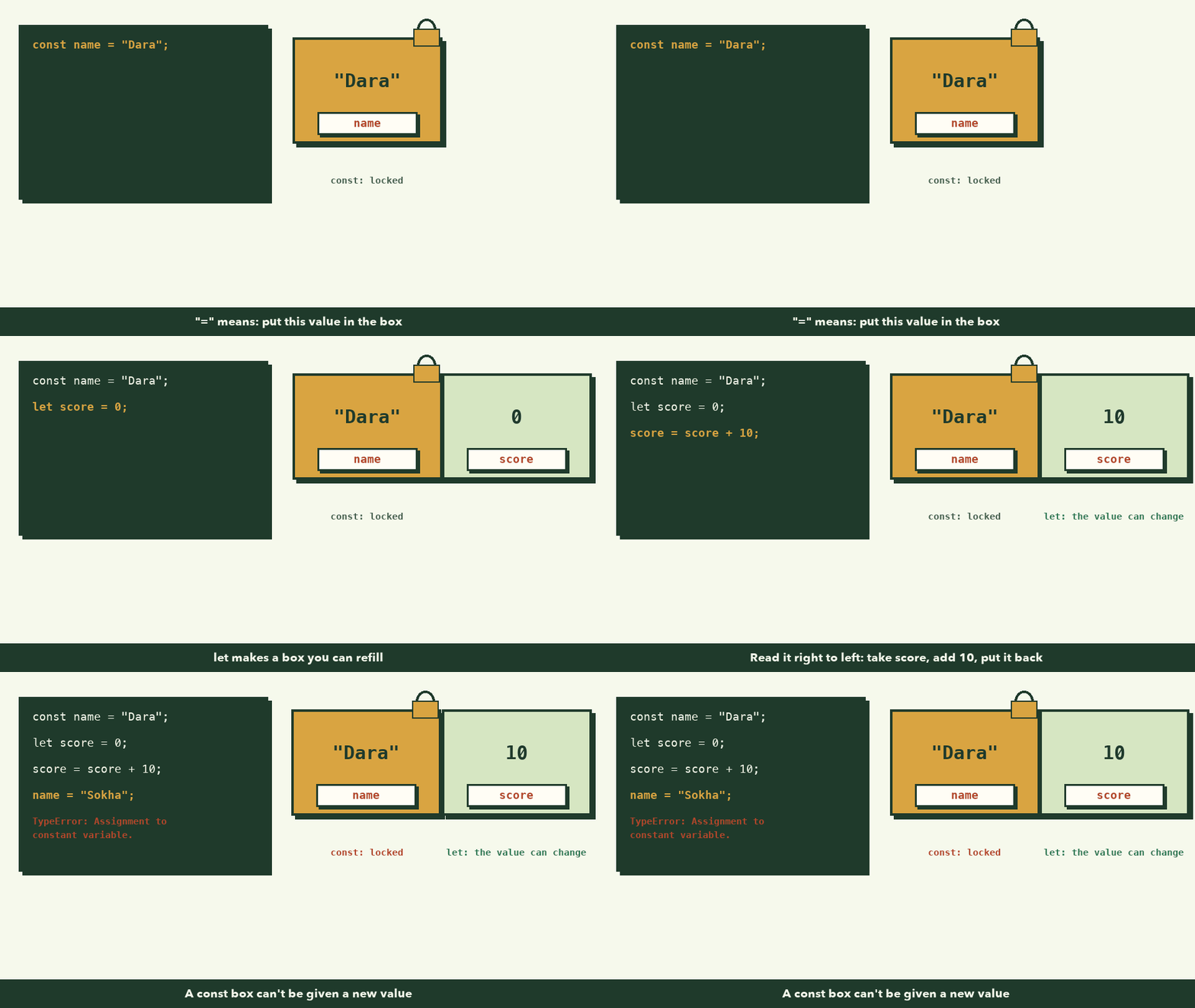
The line score = score + 10 looks strange to maths students. Read it right to left: "take what's in score, add 10, and put the result back into score."
Rule of thumb: Use
constby default. Switch toletonly when you find you need to change it. This makes your code easier to trust, because most values never change.
You may also see var in old tutorials. It's the older way; avoid it in new code.
The main data types
Every value has a type: what kind of thing it is. The type decides what you can do with it.
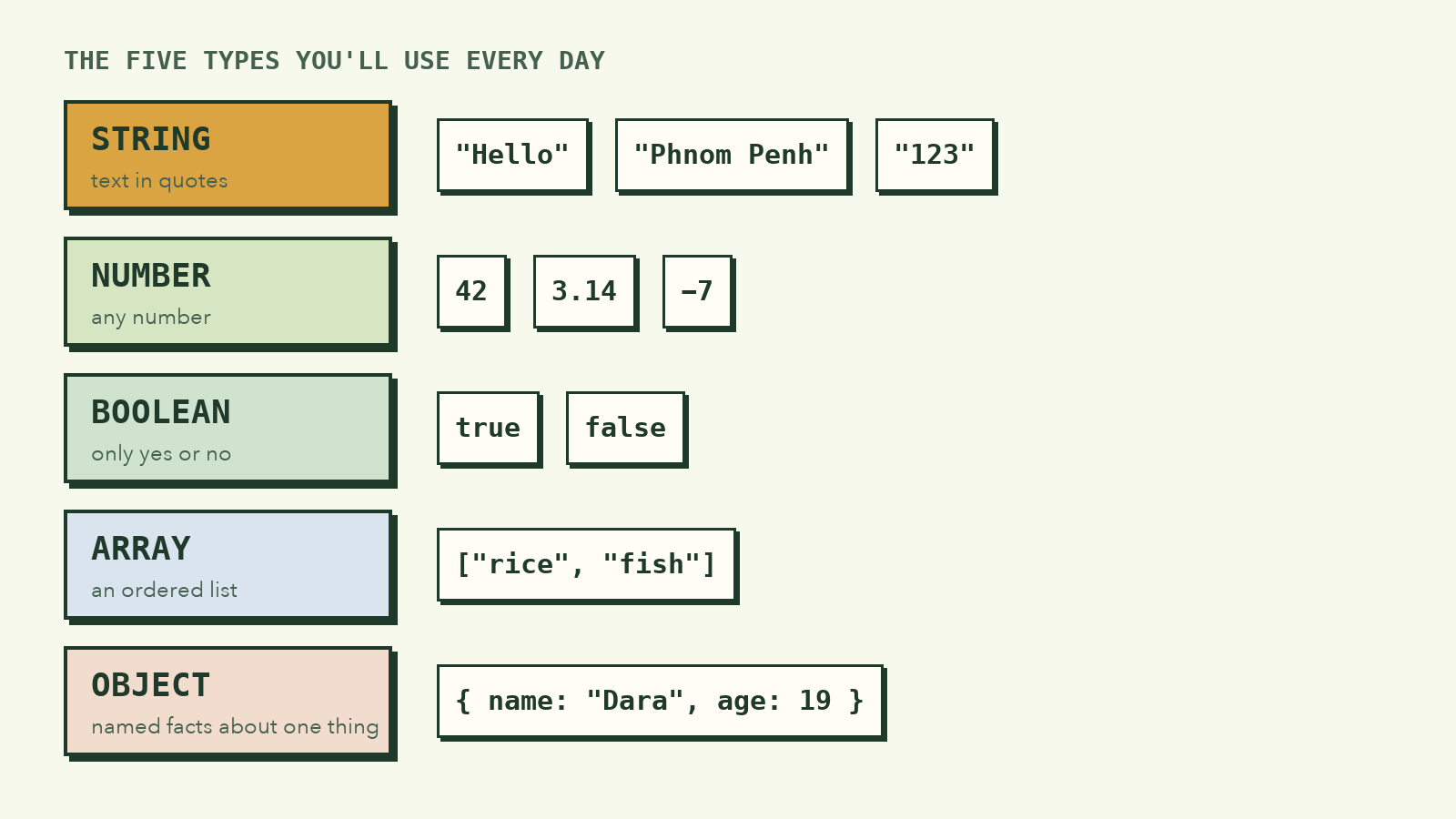
| Type | What it holds | Examples |
|---|---|---|
| String | Text, inside quotes | "Hello", 'Phnom Penh', "123" |
| Number | Any number | 42, 3.14, -7 |
| Boolean | Only true or false |
true, false |
| Array | An ordered list of values | ["rice", "fish", "egg"] |
| Object | Named pieces of information about one thing | { name: "Dara", age: 19 } |
There are also two "empty" values: undefined (a box that was never filled) and null (a box someone deliberately emptied).
You can ask JavaScript for the type of any value:
console.log(typeof "Hello");  // string
console.log(typeof 42);       // number
console.log(typeof true);     // boolean
Why "7" + "6" is "76"
Remember the puzzle from lesson 1? Here's the answer.
console.log(7 + 6);      // 13  (number + number = addition)
console.log("7" + "6");  // "76" (string + string = joining text)
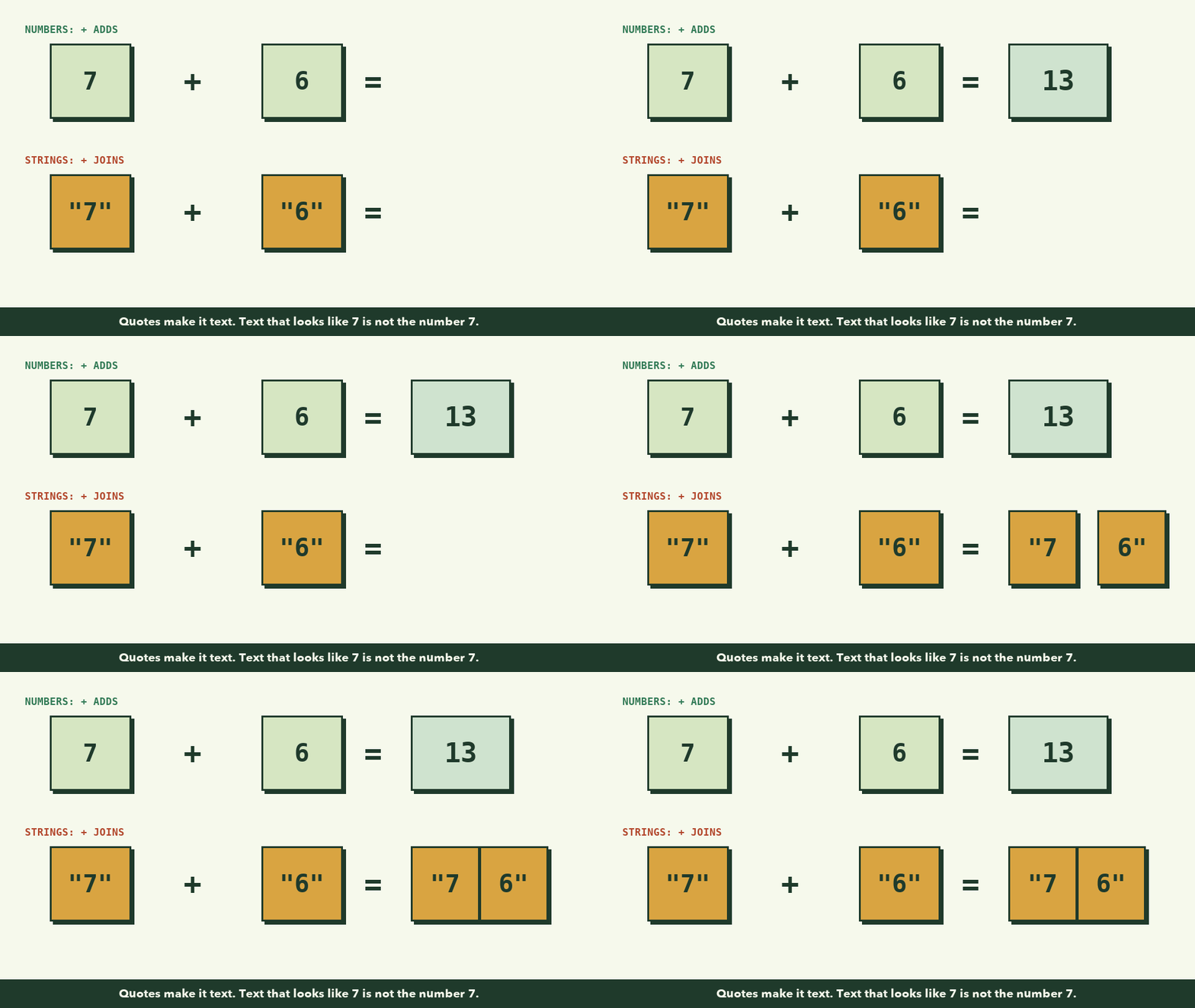
With numbers, + adds. With strings, + joins them together. "7" in quotes is not the number seven; it's the text "7", like a sign with 7 painted on it.
This matters in real programs, because anything a user types into a form arrives as a string, even if it looks like a number. To do maths with it, convert it first:
const typed = "7";               // what the user typed
const age = Number(typed);       // now it's the number 7
console.log(age + 6);            // 13
This single idea causes a huge number of beginner bugs. Now you know it.
Strings: working with text
Strings have handy tools built in:
const city = "Phnom Penh";

console.log(city.length);        // 10 (number of characters)
console.log(city.toUpperCase()); // PHNOM PENH
To build a sentence out of variables, use template strings, with backticks (`) and ${ }:
const name = "Dara";
const age = 19;
console.log(`${name} is ${age} years old.`);
// Dara is 19 years old.
This is much easier to read than joining pieces with +.
Arrays: lists of things
An array keeps values in order. Each item has a position called an index, and counting starts at 0, not 1.
const food = ["rice", "fish", "egg"];

console.log(food[0]);      // rice   (first item)
console.log(food[2]);      // egg    (third item)
console.log(food.length);  // 3

food.push("mango");        // add to the end
console.log(food);         // ["rice", "fish", "egg", "mango"]
Wait: food is a const, but we changed it? const means the box can't be replaced with a different list. You can still add things to the list that's inside it.
Objects: describing one thing
When several values belong together, put them in an object. Each value has a name (a key):
const student = {
  name: "Dara",
  age: 19,
  isEnrolled: true,
  subjects: ["Maths", "English"],
};

console.log(student.name);         // Dara
console.log(student.subjects[1]);  // English
![An array of four foods with positions food[0] to food[3], and an object for a student with name, age, isEnrolled, and subjects, read with student.name](/images/courses/programming-foundations/arrays-and-objects.png)
Almost all real-world data looks like this: a user, a product, a message. Arrays of objects, like a list of students, are everywhere in real apps.
Naming variables well
Code is read far more often than it's written. Good names are a gift to the next reader, who is usually you in three weeks.
| Bad | Good | Why |
|---|---|---|
x |
price |
Says what it holds |
data2 |
studentNames |
Specific, not generic |
flag |
isLoggedIn |
Booleans read like yes/no questions |
n |
numberOfPeople |
Long is fine if it's clear |
JavaScript uses camelCase: start lowercase, capitalise each new word, no spaces.
What to remember
- A variable is a labelled box.
=means "put this value in the box". - Use
constby default andletwhen the value must change. - The main types are string, number, boolean, array and object.
"7" + "6"is"76"because+joins strings. Convert typed input withNumber().- Array positions start at 0. Objects group related values under names.
Try it yourself
- Create an object describing yourself: name, age, city and an array of hobbies.
- Print a sentence about yourself using a template string.
- Create
let coins = 5;, add 3 coins, then print the result. - What does
console.log("5" * 2)print? Try it and think about why. (Hint:*only works on numbers.)
Next lesson: conditions, the way programs make decisions.