Mini Project: A Number Guessing Game
Put everything together. Plan, build and improve a complete number guessing game using variables, conditions, loops and functions, all running in your browser.
What you will build
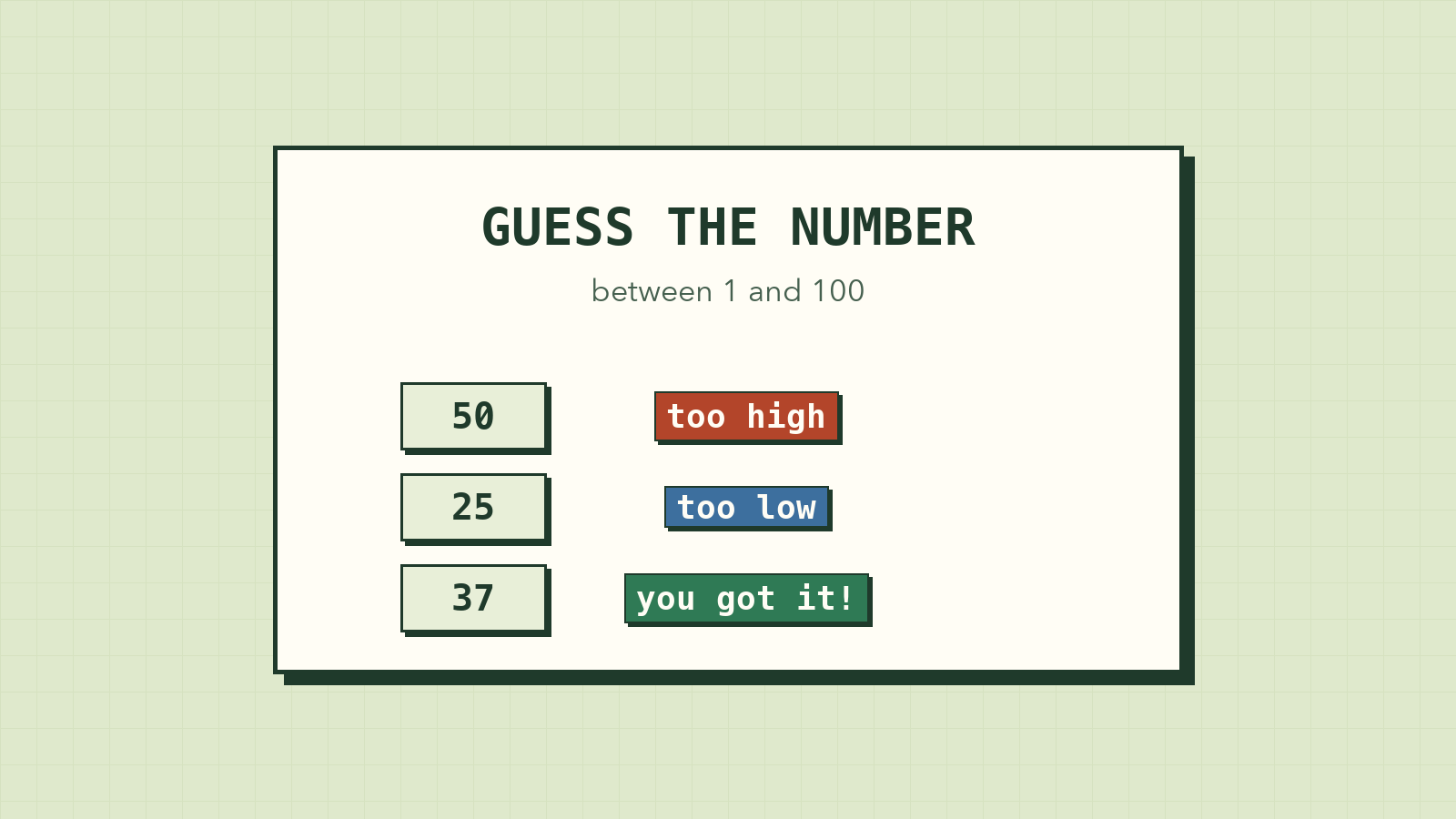
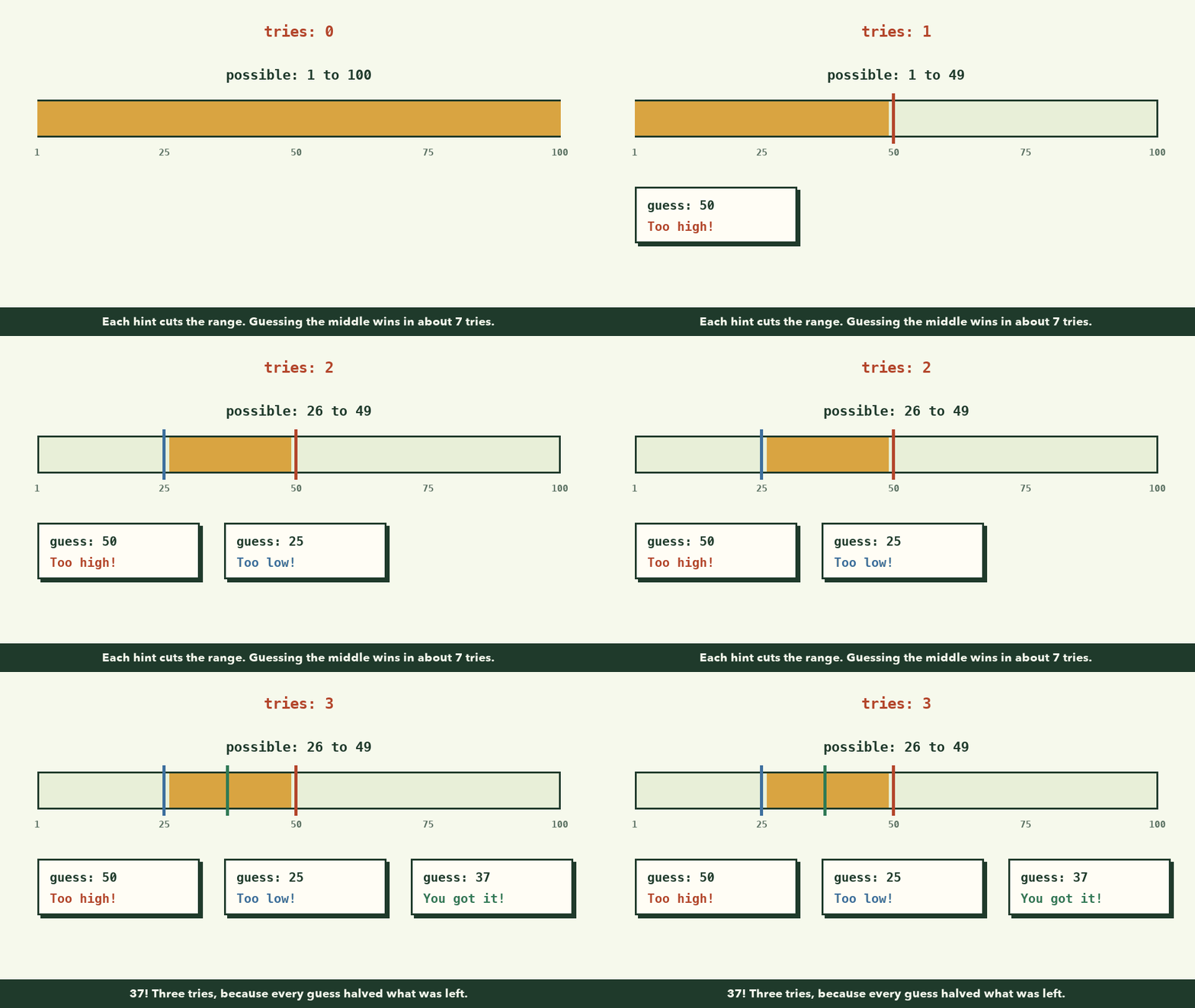
A game where the computer picks a secret number between 1 and 100, and the player tries to guess it. After each guess, the game says "Too high" or "Too low", until the player gets it right. At the end it shows how many tries it took.
It runs entirely in your browser. No installs.
Along the way you'll use every idea from this course:
| Lesson | Where it shows up |
|---|---|
| 2. Breaking problems into steps | Planning the game before coding |
| 3. Variables and data types | The secret number, the guess, the number of tries |
| 4. Conditions | Too high, too low, or correct? |
| 5. Loops | Keep asking until the player wins |
| 6. Functions | Organising the game into clear pieces |
| 7. Debugging | Fixing the bugs we'll meet on the way |
Step 1: Plan before you code
Let's use the four questions from lesson 2.
- What do I have? A secret random number, and guesses typed by the player.
- What do I want? Tell the player if each guess is too high, too low or correct, then show the number of tries.
- What are the steps?
- What could go wrong? The player types letters, a number out of range, or presses Cancel.
The steps, as pseudocode:
pick a secret number from 1 to 100
set tries to 0

repeat:
    ask the player for a guess
    add 1 to tries
    if guess is too high → say "Too high"
    if guess is too low  → say "Too low"
    if guess is correct  → say "You win in X tries!" and stop
That's the whole game. Now we translate, one small piece at a time.
Step 2: Two new tools
We need two built-in functions we haven't used yet.
Math.random() gives a random decimal number between 0 and 1 (like 0.7382...). To turn it into a whole number from 1 to 100:
const secret = Math.floor(Math.random() * 100) + 1;
Read it from the inside out:
| Piece | Result (example) |
|---|---|
Math.random() |
0.7382 |
* 100 |
73.82 |
Math.floor(...) rounds down |
73 |
+ 1 (so we get 1–100, not 0–99) |
74 |
prompt() shows a pop-up box where the player can type, and returns what they typed as a string (remember lesson 3!), or null if they press Cancel.
const answer = prompt("What's your name?");
console.log(answer);
Try both in the console before moving on.
Step 3: The first working version
Open a new browser tab, open the console (F12), and type this in:
const secret = Math.floor(Math.random() * 100) + 1;
let tries = 0;

while (true) {
  const guess = prompt("Guess a number from 1 to 100:");
  tries++;

  if (guess > secret) {
    alert("Too high!");
  } else if (guess < secret) {
    alert("Too low!");
  } else {
    alert(`You got it! The number was ${secret}. Tries: ${tries}`);
    break;
  }
}
Two new words:
while (true)means "loop forever"... until something stops it.breakstops the loop immediately. We only reach it when the guess is correct, so the loop always has a way out. (Lesson 5: every loop needs something that moves it toward stopping.)
Play a round. It works! But it has hidden bugs. Let's find them.
Step 4: Debug it
Try these while playing, and watch what happens:
Bug 1: typing letters. Type hello. The game says... "You got it!" 😱
Why? Use the lesson 7 method. "hello" > 74 is false. "hello" < 74 is also false, because text can't be compared with a number. Neither condition matched, so we fell into else: the "correct" branch. Our else assumed that anything not too high or too low must be right. That's a logic error.
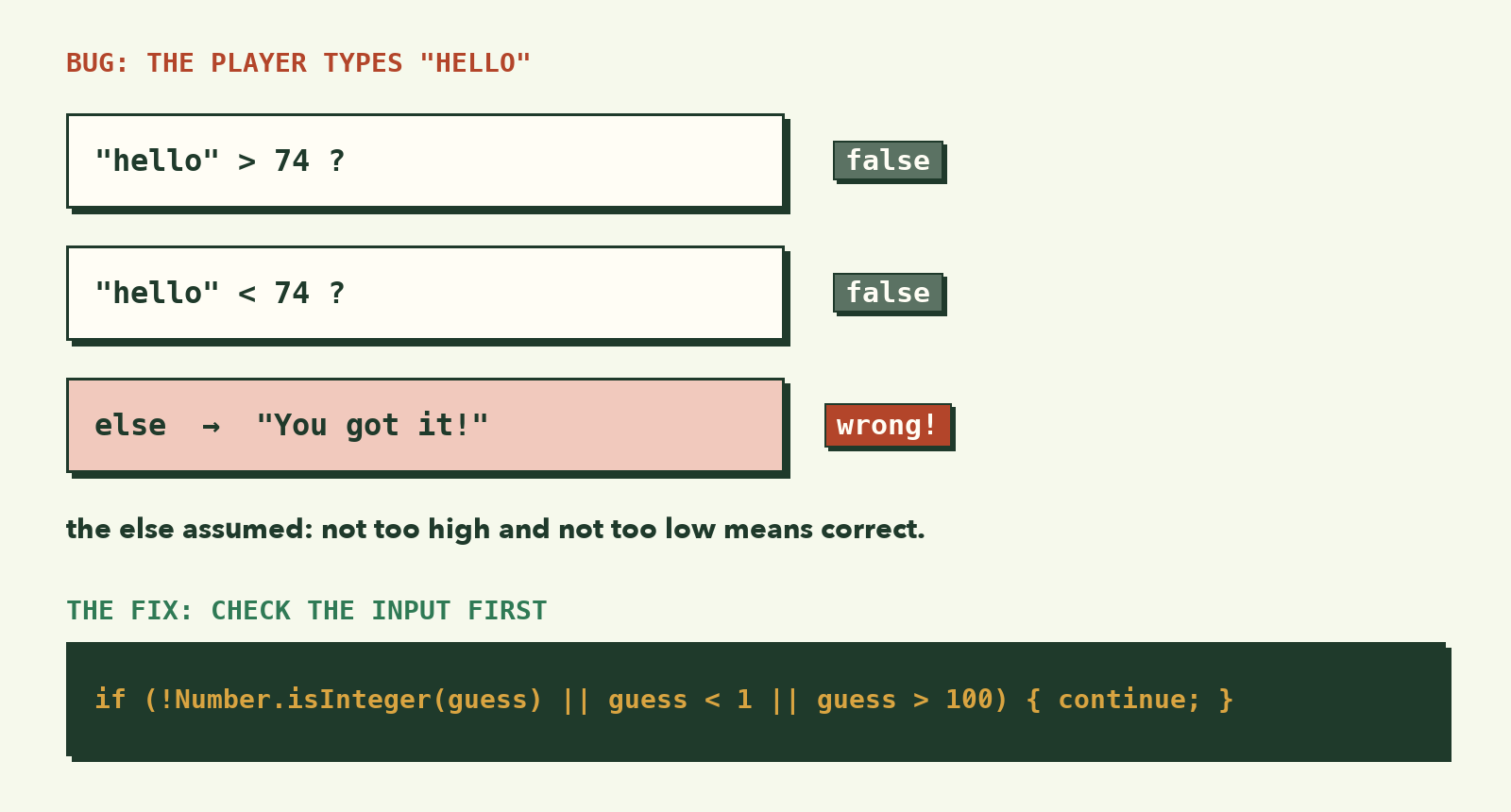
Bug 2: pressing Cancel. prompt returns null, and the loop keeps asking forever. There's no way to quit.
Hidden bug: strings vs numbers. guess is a string like "50". The comparison "50" > 74 happens to work because JavaScript quietly converts it, but relying on that is risky. We should convert it ourselves with Number().
Step 5: Fix the bugs
The fix is to check the input first, and only then compare it:
const secret = Math.floor(Math.random() * 100) + 1;
let tries = 0;

while (true) {
  const answer = prompt("Guess a number from 1 to 100:");

  // Cancel pressed: stop the game
  if (answer === null) {
    alert(`Game over. The number was ${secret}.`);
    break;
  }

  const guess = Number(answer);

  // Not a whole number from 1 to 100: ask again, don't count it
  if (!Number.isInteger(guess) || guess < 1 || guess > 100) {
    alert("Please type a whole number from 1 to 100.");
    continue;
  }

  tries++;

  if (guess > secret) {
    alert("Too high!");
  } else if (guess < secret) {
    alert("Too low!");
  } else {
    alert(`You got it! The number was ${secret}. Tries: ${tries}`);
    break;
  }
}
What changed:
- Cancel now ends the game properly.
Number(answer)turns the text into a real number.Number("hello")givesNaN.Number.isInteger(guess)isfalseforNaNand for decimals like4.5, so bad input is caught.continueskips the rest of this round and goes straight back to the top of the loop, without counting a try.- The final
elseis now safe: by the time we reach it,guessis definitely a number from 1 to 100 that's neither too high nor too low.
Play again and try to break it. That's what testers do.
Step 6: Organise it with functions
The game works, but everything is in one big block. Let's split it into functions that each do one job (lesson 6):
function pickSecret(max) {
  return Math.floor(Math.random() * max) + 1;
}

function isValidGuess(guess, max) {
  return Number.isInteger(guess) && guess >= 1 && guess <= max;
}

function getHint(guess, secret) {
  if (guess > secret) return "Too high!";
  if (guess < secret) return "Too low!";
  return "Correct!";
}

function playGame(max) {
  const secret = pickSecret(max);
  let tries = 0;

  while (true) {
    const answer = prompt(`Guess a number from 1 to ${max}:`);

    if (answer === null) {
      alert(`Game over. The number was ${secret}.`);
      return;
    }

    const guess = Number(answer);

    if (!isValidGuess(guess, max)) {
      alert(`Please type a whole number from 1 to ${max}.`);
      continue;
    }

    tries++;
    const hint = getHint(guess, secret);

    if (hint === "Correct!") {
      alert(`You got it in ${tries} tries! The number was ${secret}.`);
      return;
    }

    alert(hint);
  }
}

playGame(100);
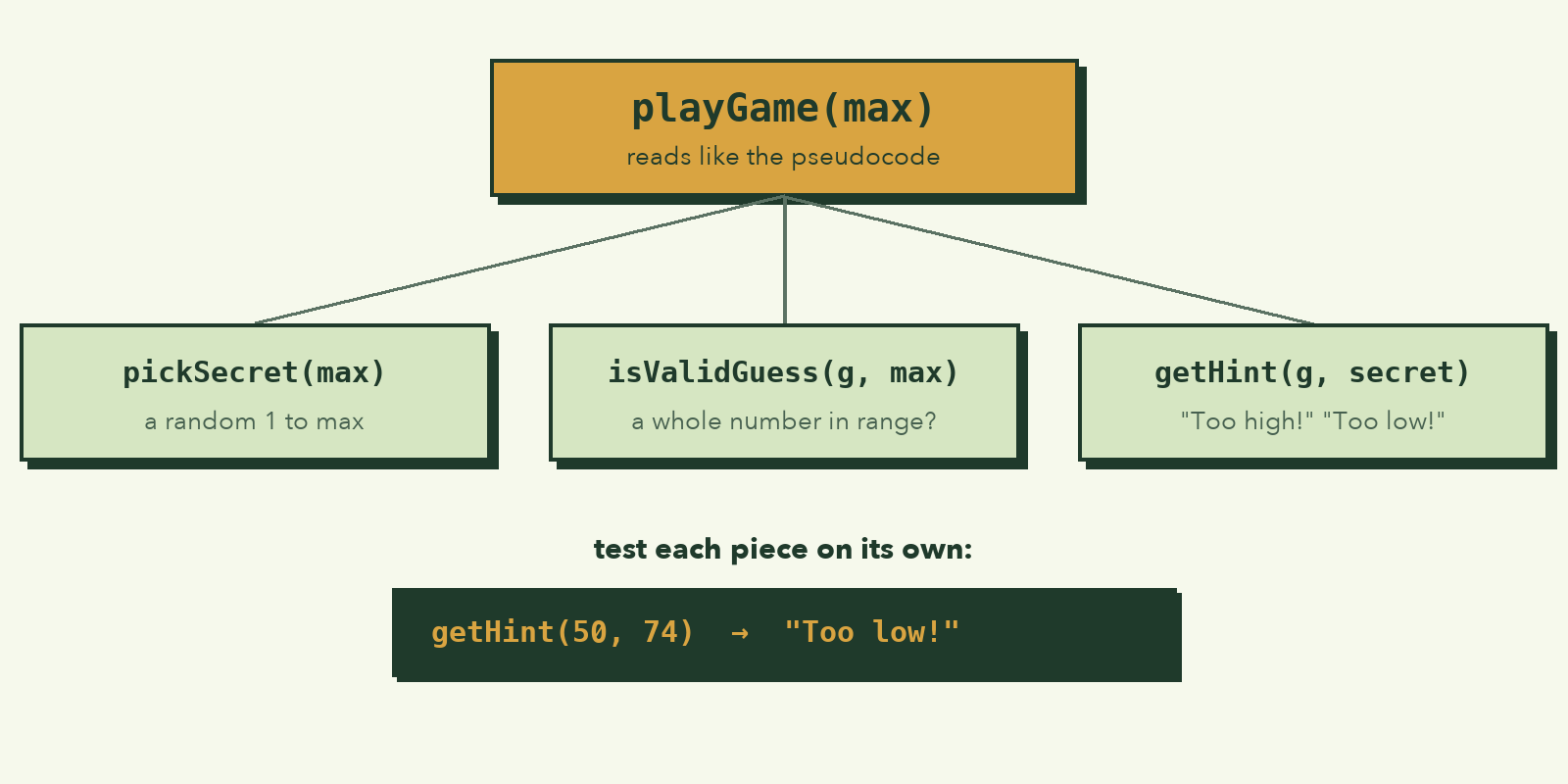
It does exactly the same thing, but now:
playGamereads like the pseudocode from Step 1.- Each helper can be tested on its own, for example
console.log(getHint(50, 74))should printToo low!. - Changing the game is easy:
playGame(1000)makes it harder, with no other edits.
Notice return inside playGame. It ends the whole function, which also ends the loop. It does the job break did before.
Step 7: Make it yours
Your game works. Now improve it. Pick at least two:
- Limit the tries. The player loses after 7 wrong guesses. (Hint: add a condition on
tries.) - Difficulty levels. Ask "easy, medium or hard?" first, and use 1–10, 1–100 or 1–1000.
- Warmer / colder. If the guess is within 5 of the secret, say "Very close!" as well.
- Play again. After winning, use
confirm("Play again?")(it returnstrueorfalse) to start a new round. - Best score. Keep track of the fewest tries across rounds in a variable.
Plan each change with pseudocode first, then code it, then test it. That's the whole cycle, and it's exactly how professionals work, just on bigger problems.
You finished Programming Foundations 🎉
Look at what you can do now:
- Break a vague problem into clear steps and pseudocode
- Store information in variables and pick the right data types
- Make decisions with conditions
- Repeat work with loops
- Organise code into functions
- Debug calmly, and use AI as a tutor instead of a crutch
These ideas are the same in every programming language. When you learn Python, Swift or Dart later, you'll recognise them all; only the spelling changes.
Where to go next: the Web Development course, where you'll use these same skills to build real websites with HTML, CSS and JavaScript.