Learning with AI the Right Way
AI can write code in seconds, so why learn at all? Because you still have to understand, check and own that code. Here is how to use AI as a tutor and a helper instead of a crutch.
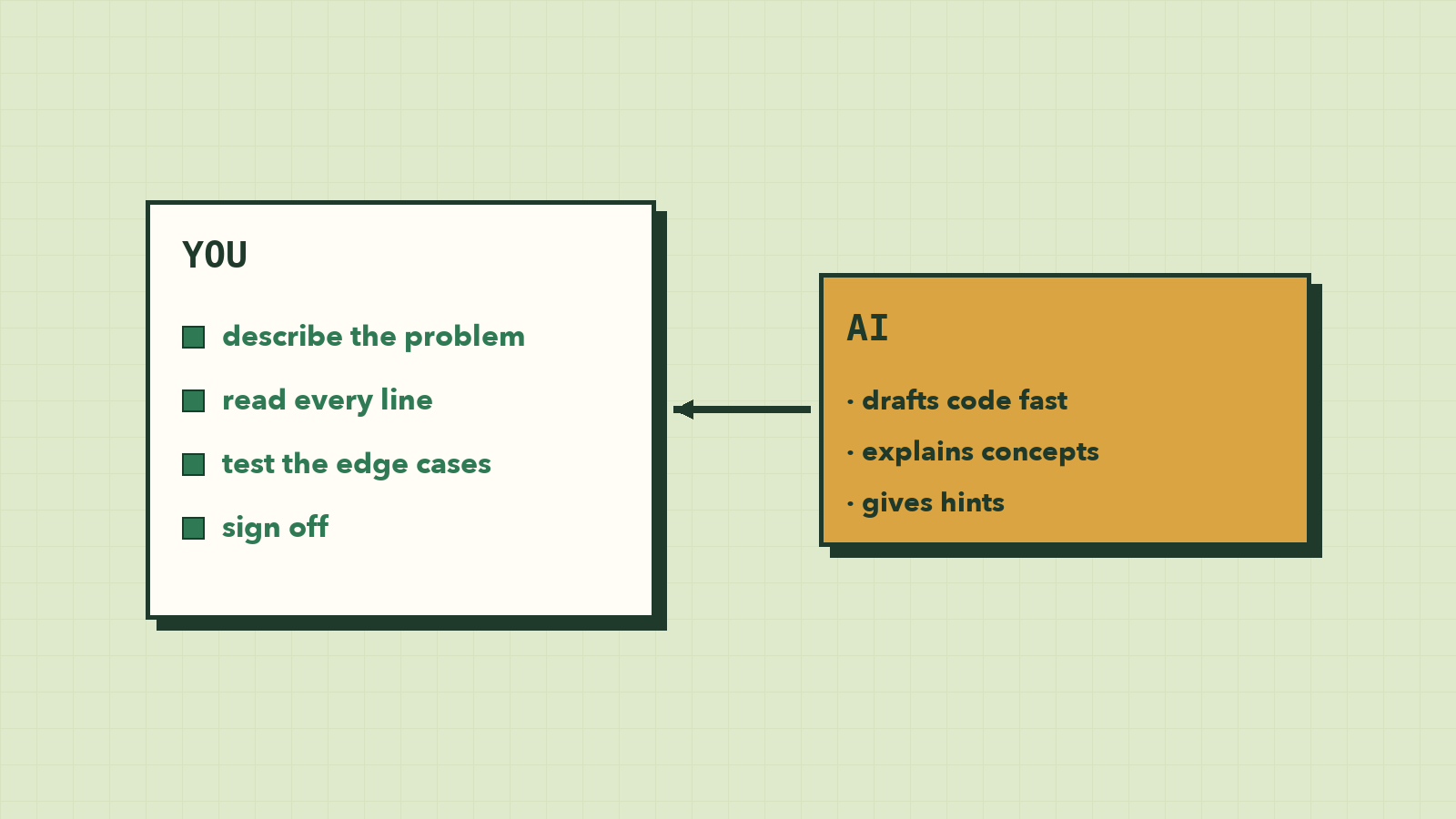
You can open a chat window right now, type "write a function that averages a list of numbers", and have working code in five seconds. So why spend weeks learning to write it yourself?
Because someone still has to know whether those five-second answers are right. AI is often correct, and sometimes confidently wrong, and the wrong answers look exactly like the right ones.
This lesson is about using AI the way strong developers do: as a tireless tutor that makes you better, not a crutch that makes you need it.
"Why learn to code if AI can do it?"
It's a fair question. Tools like Claude and ChatGPT can write a working function in seconds. But think about who is responsible for that code:
- Someone has to describe the problem clearly. That's decomposition, from lesson 2. Vague requests get vague code.
- Someone has to check the answer. AI is often right, but it can be confidently wrong: code that looks perfect and has a logic bug, or uses a function that doesn't exist.
- Someone has to fix it when it breaks. That's debugging, from lesson 7. You can't fix what you don't understand.
- Someone has to put the pieces together into a real product that people use.
That someone is you. AI makes a programmer who understands code much faster. It does very little for someone who doesn't, because they can't tell good output from bad.
Think of AI as a very fast junior assistant: helpful and tireless, but you're the one who signs off on the work.
Crutch vs tutor
The same tool can make you stronger or weaker, depending on how you use it.
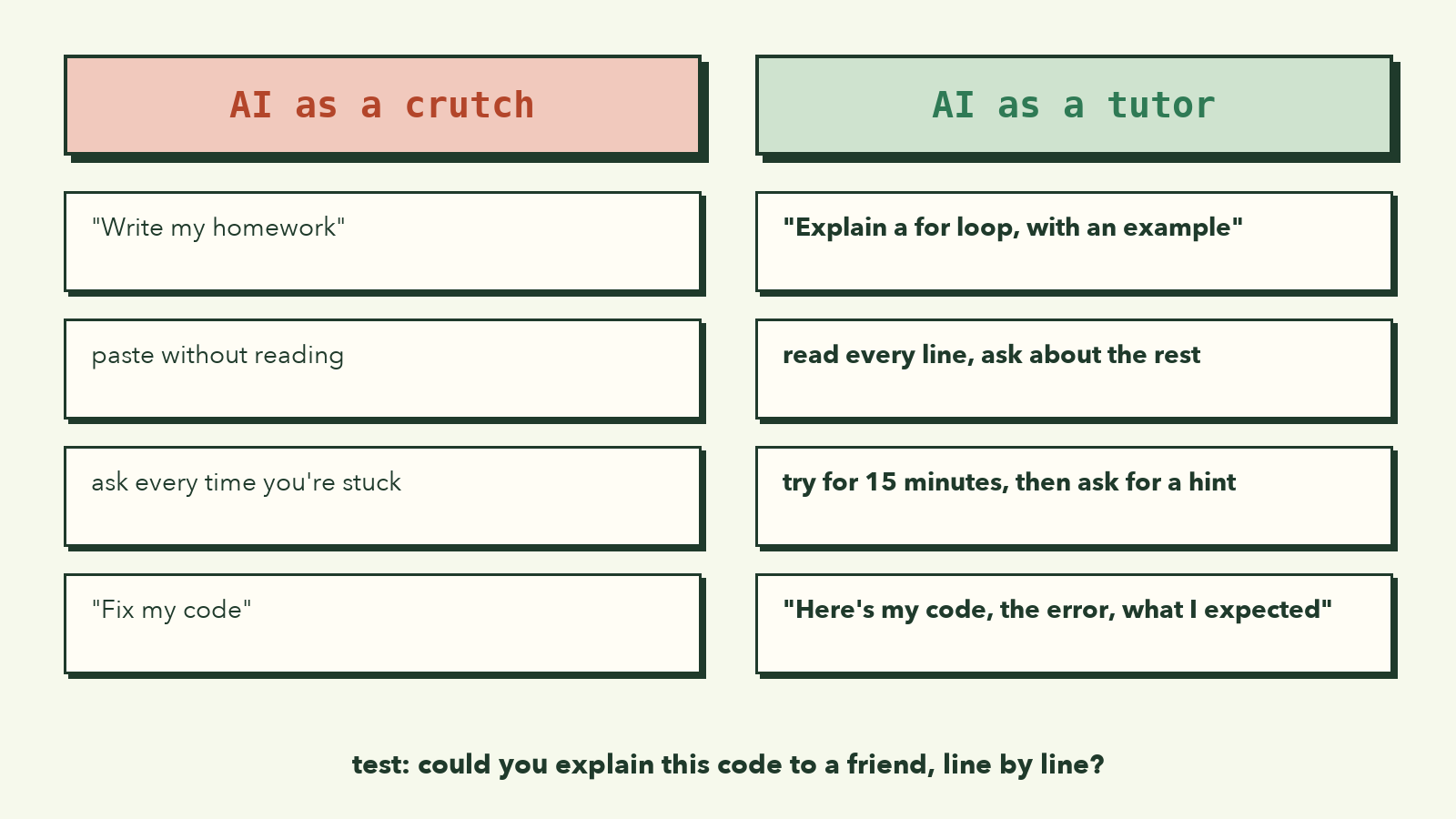
| Using AI as a crutch 🚫 | Using AI as a tutor ✅ |
|---|---|
| "Write my homework for me" | "Explain what a for loop does, with a simple example" |
| Pasting the answer without reading it | Reading every line and asking about the parts you don't get |
| Asking again every time you're stuck | Trying for 15–20 minutes first, then asking for a hint |
| "Fix my code" | "Here's my code, the error, and what I expected. What should I look at?" |
| Feeling fast, but unable to code without it | Slowly needing it less for the basics |
A good test: could you explain this code to a friend, line by line? If not, you haven't learned it yet, even if it works.
Prompts that help you learn
The quality of the answer depends on the quality of the question. Here are prompts worth copying:
To understand a concept:
Explain JavaScript arrays like I'm a complete beginner.
Use one real-life analogy and one short code example.
Then give me two small exercises, but don't show the answers.
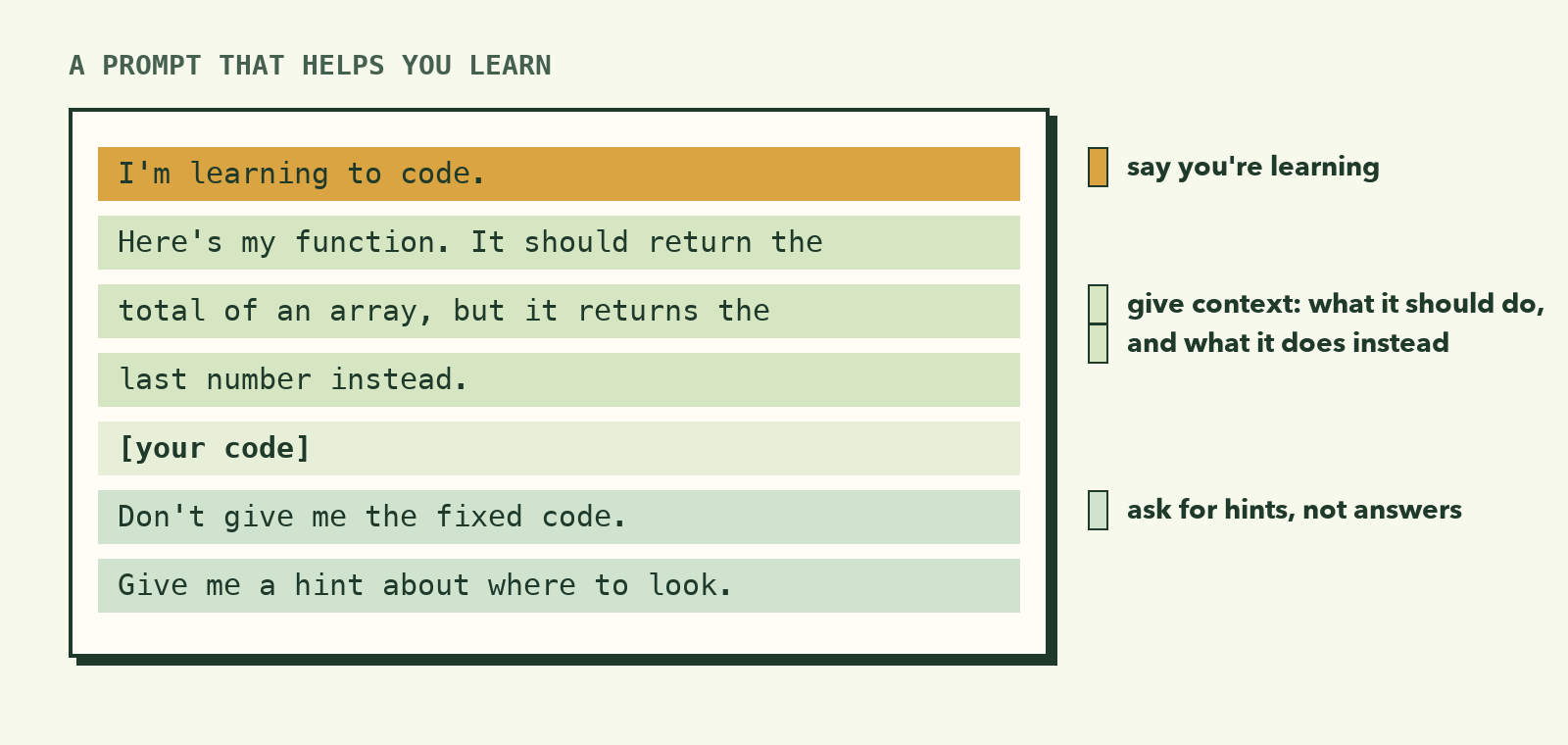
To get unstuck without being handed the answer:
I'm learning to code. Here's my function, which should return the total of
an array, but it returns the last number instead. Don't give me the fixed
code. Give me a hint about where to look.

[paste your code]
To understand code someone else wrote:
Explain this code line by line. For each line, tell me what it does
and why it's needed.

[paste the code]
To check your own work:
Here's my solution to [the problem]. Is it correct? Are there edge cases
I missed? Please explain any problems, but let me fix them myself.
Notice the pattern: say you're learning, give context, and ask for explanations or hints, not finished answers.
Always check AI-written code
Treat every piece of AI code like code from a stranger on the internet. Before you use it:
- Read it. Every line. If you don't understand a line, ask about it.
- Run it. Does it actually work? Try it in the console.
- Test the edge cases. Empty lists, zero, negative numbers, unexpected input. AI often forgets these.
- Check that it matches what you asked. AI sometimes solves a slightly different problem.
- Keep it simple. If the answer uses things you haven't learned, ask for a simpler version using only what you know.
Here's a real example. You ask for a function that averages an array, and get:
function average(numbers) {
  let sum = 0;
  for (const n of numbers) {
    sum += n;
  }
  return sum / numbers.length;
}
![Animation: an AI-written average function passes average([10, 20, 30]) and average([5]), then returns NaN for an empty list because it divides 0 by 0](/images/courses/programming-foundations/check-ai-code.gif)
It looks right, and for [10, 20, 30] it returns 20. But try average([]). You get NaN (Not a Number), because it divides 0 by 0. Would your program handle that? Checking edge cases is your job.
Never paste secrets
When you ask AI for help, don't paste passwords, API keys, or other people's private information. Anything you type into an online tool may be stored. Replace secrets with placeholders like YOUR_API_KEY before sharing code.
Rules for learning with AI
- Try first. Struggle for at least 15 minutes before asking. The struggle is where learning happens.
- Ask for hints before answers.
- Type, don't paste. Typing code yourself builds memory in a way copying never does.
- Explain it back. After getting help, close the chat and explain the solution in your own words, or rewrite it from memory.
- You own the code. If you ship it, you're responsible for it, whoever wrote the first draft.
What to remember
- AI writes code fast, but you still describe, check, debug and own it.
- Use AI as a tutor that explains, not a crutch that thinks for you.
- Good prompts say you're learning, give context, and ask for hints or explanations.
- Always read, run and test AI code, especially the edge cases.
- Never paste passwords, keys or private data into AI tools.
Try it yourself
- Ask an AI tool to explain
for...ofloops, using the concept prompt above. Then close it and write your own example from memory. - Take any exercise from lessons 3–6 that you found hard. Ask for a hint only, then solve it yourself.
- Ask an AI to write a function that finds the smallest number in an array. Test it with
[],[5]and[-3, -10, 4]. Did it handle every case?
Now it's time to put everything together. In the final lesson, you'll build a complete game from scratch.