The Bento Grid
Ten cards of different sizes, all lined up perfectly. With CSS Grid you can draw the layout as a little text map, and the browser builds it. This is the lesson where the long column finally becomes the design.
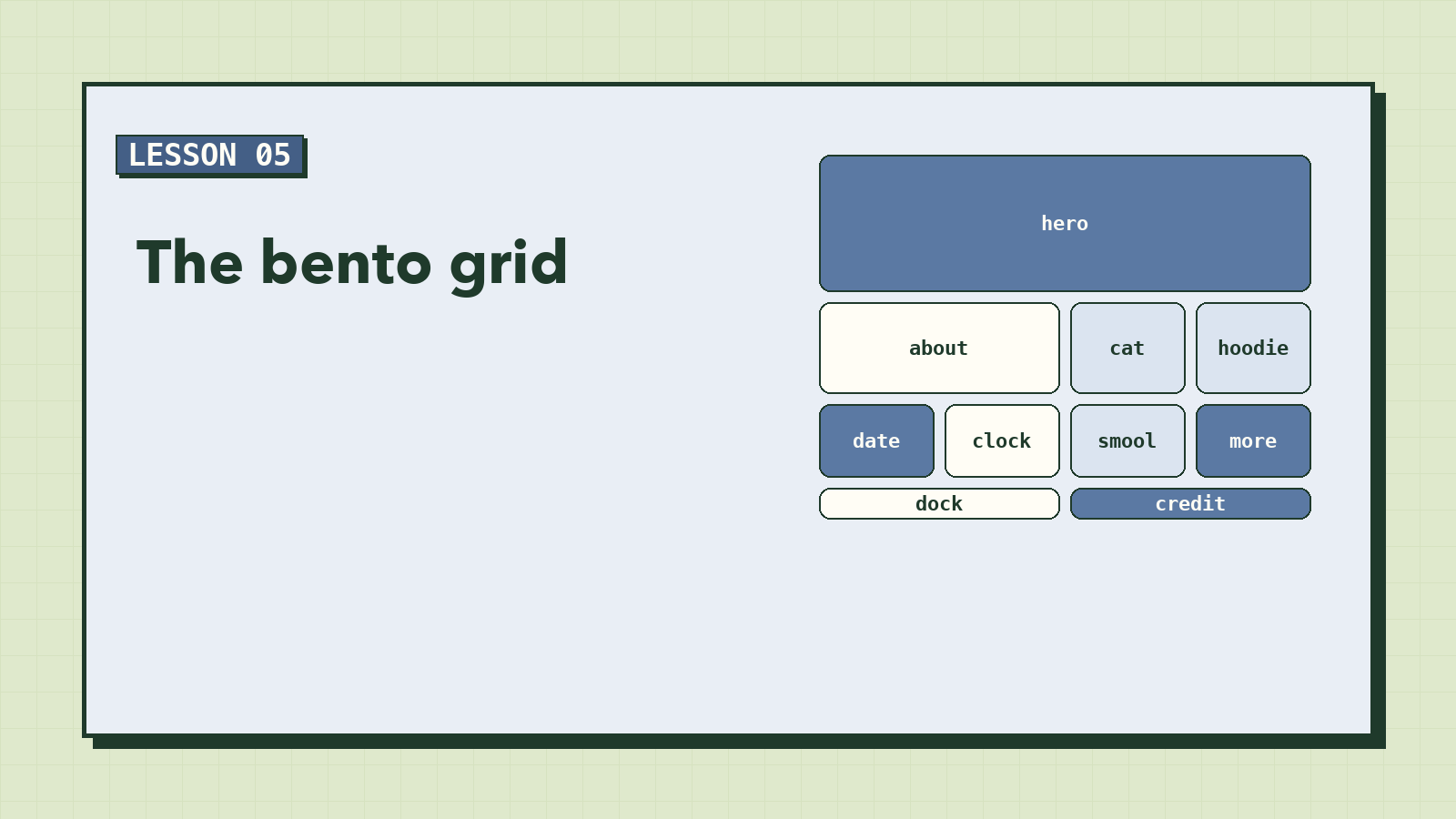
A Japanese bento box holds rice, fish, pickles and fruit, each in its own compartment, some big, some small, all fitting together into one neat rectangle. That's where this style of web design gets its name: a set of cards of different sizes that tile perfectly.
You could build it with a lot of widths and margins and maths. Or you could use CSS Grid, the one tool designed for exactly this, and describe the layout as a picture made of words.
Grid in three lines
A grid needs columns, rows, and a rule for where things go. Ours:
/* ---------- 4. The bento grid ---------- */
.bento {
  max-width: 960px;
  margin: 0 auto;
  padding: 0 24px 48px;
  display: grid;
  grid-template-columns: repeat(4, minmax(0, 1fr));
  grid-template-rows: auto 200px 160px 64px;
  gap: var(--gap);
}
display: gridturns<main>into a grid. Every direct child becomes a grid item.grid-template-columns: repeat(4, minmax(0, 1fr))makes four equal columns.1frmeans "one share of the free space". Wrapping it inminmax(0, 1fr)lets a column shrink below its content's natural width, so one long word or wide image can't force a column wider than its siblings.grid-template-rowssets four rows: the hero sizes itself (auto), then 200px, 160px and 64px, matching the reference.gapis the space between every row and column. One value, applied everywhere, no margins needed.
Drawing the layout
Now the best part. Remember the box names from lesson 1? Write them out as a map:
.bento {
  /* …the lines above… */
  grid-template-areas:
    "hero  hero  hero   hero"
    "about about cat    hoodie"
    "date  clock smool  more"
    "dock  dock  credit credit";
}
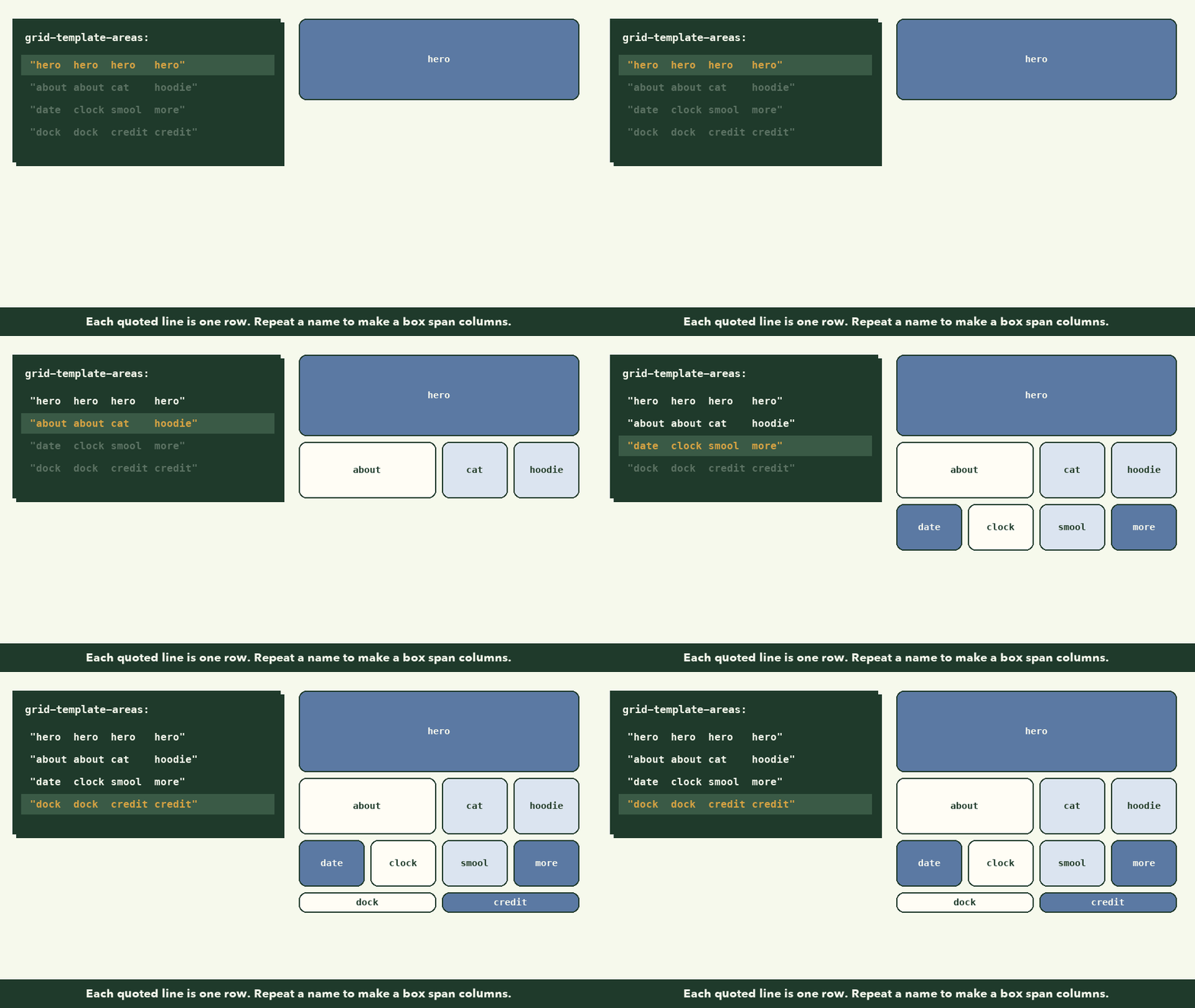
- Each quoted string is one row. Each word is one column.
- Repeating a name makes that area span.
hero hero hero herostretches the hero across all four columns.about aboutmakes the About card two columns wide. - The spaces are only for you. Lining the words up in columns makes the map easy to read; CSS doesn't care.
Then tell each card which area it belongs to:
.hero    { grid-area: hero; }
.about   { grid-area: about; }
.look-cat    { grid-area: cat; }
.look-hoodie { grid-area: hoodie; }
.look-smool  { grid-area: smool; }
.date    { grid-area: date; }
.clock   { grid-area: clock; }
.more    { grid-area: more; }
.dock    { grid-area: dock; }
.credits { grid-area: credit; }
That's the whole layout. No widths, no floats, no maths. Want the clock on the left of the date instead? Swap two words in the map. Want About to be three columns wide? Change one word. This is why we named the boxes before writing any code.
The shared card look
Every card has the class card as well as its own name. The shared look goes on .card:
/* Every tile shares this look */
.card {
  position: relative;
  border-radius: var(--radius);
  box-shadow: var(--shadow);
  background: var(--paper);
}
- Rounded corners and a soft shadow from the tokens.
- White by default. Blue cards override
backgroundin their own rules. position: relativeon every card, so anything inside can be pinned to its corners. The next lesson uses this straight away for the portrait.
This "two classes" pattern (class="card about") is worth copying everywhere: one class for what things have in common, one for what makes each different.
Checkpoint: it looks like the design (almost)
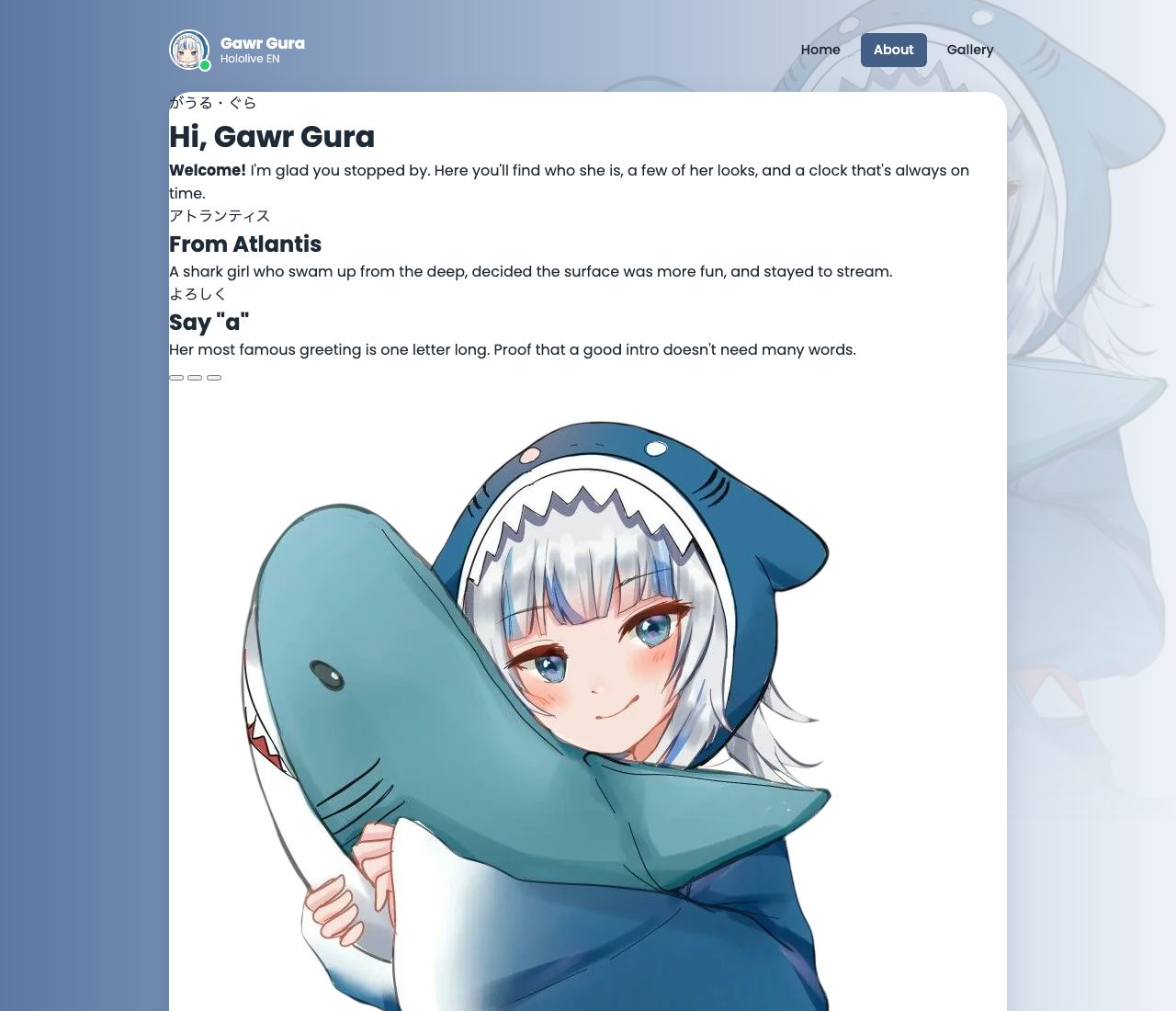
Every box is now where the design says it should be. Inside them, things are still rough: the hero isn't blue yet, the images aren't cropped, and the YouTube icon in the dock is enormous because SVG icons fill whatever space they're given until you size them. We'll fix all of that in the next two lessons.
Use your browser's grid inspector
Open DevTools, select the <main> element, and look for a small grid badge next to it in the Elements panel. Click it. The browser draws your grid lines and area names right on the page. It's the fastest way to see why a card landed somewhere unexpected.
If something looks wrong
- Cards are in one long column.
display: gridis missing, orgrid-template-areashas a typo. In DevTools, an invalid map shows up crossed out. - The whole map is ignored. Every row string must have the same number of words, and each area must be a rectangle. An L-shaped area is invalid, and the browser throws out the whole map.
- One card is in the wrong place. Check its
grid-areaname matches a word in the map exactly.
What to remember
display: grid+ columns + rows +gapgives you a grid in a few lines.grid-template-areaslets you draw the layout as text;grid-areaputs each item in its named spot.- Repeat a name to span columns or rows; every area must be a rectangle.
minmax(0, 1fr)keeps columns equal even when the content inside them is wide.- Use two classes: a shared one (
card) and a specific one (about).
Next, the card everyone remembers: The Hero Card.