The Hero Card: Layering a Portrait
The best detail in the reference design is the character breaking out of her card, her head poking above the top edge. It looks like a trick, and it's really just two positioning rules and some arithmetic. Build the hero card and its slider styling.
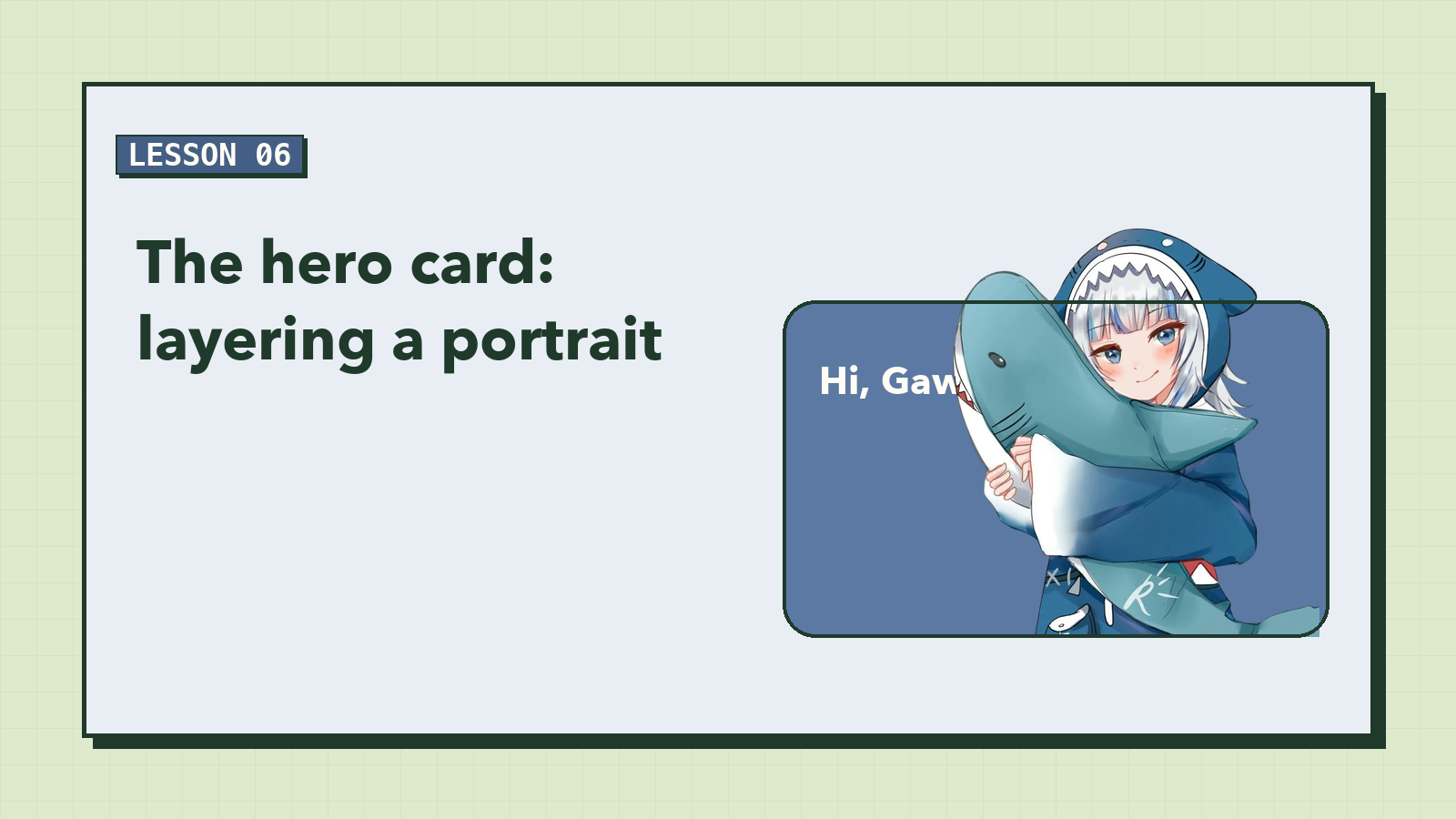
Flat designs are calm, but a little depth makes a page feel alive. In the reference, the character isn't inside the blue card like a photo in a frame. Her head and the shark's tail rise above the card's top edge, as if she's leaning out to say hi.
It's the detail people remember, and it's the most fun bit of CSS in this course. Let's take it apart.
The card
In the last lesson every card got the shared .card style, including position: relative. That one line matters a lot here: it makes the hero the reference box for anything absolutely positioned inside it, starting with the portrait.
The hero overrides what's different about it:
/* ---------- 5. Hero ---------- */
.hero {
  min-height: 300px;
  margin-top: 40px; /* room for the portrait to stick out above */
  padding: 48px 56px 40px;
  border-radius: var(--radius-lg);
  background: var(--blue);
  color: var(--paper);
}
Hold on to that margin-top: 40px. It's half of the trick.
Breaking out of the box
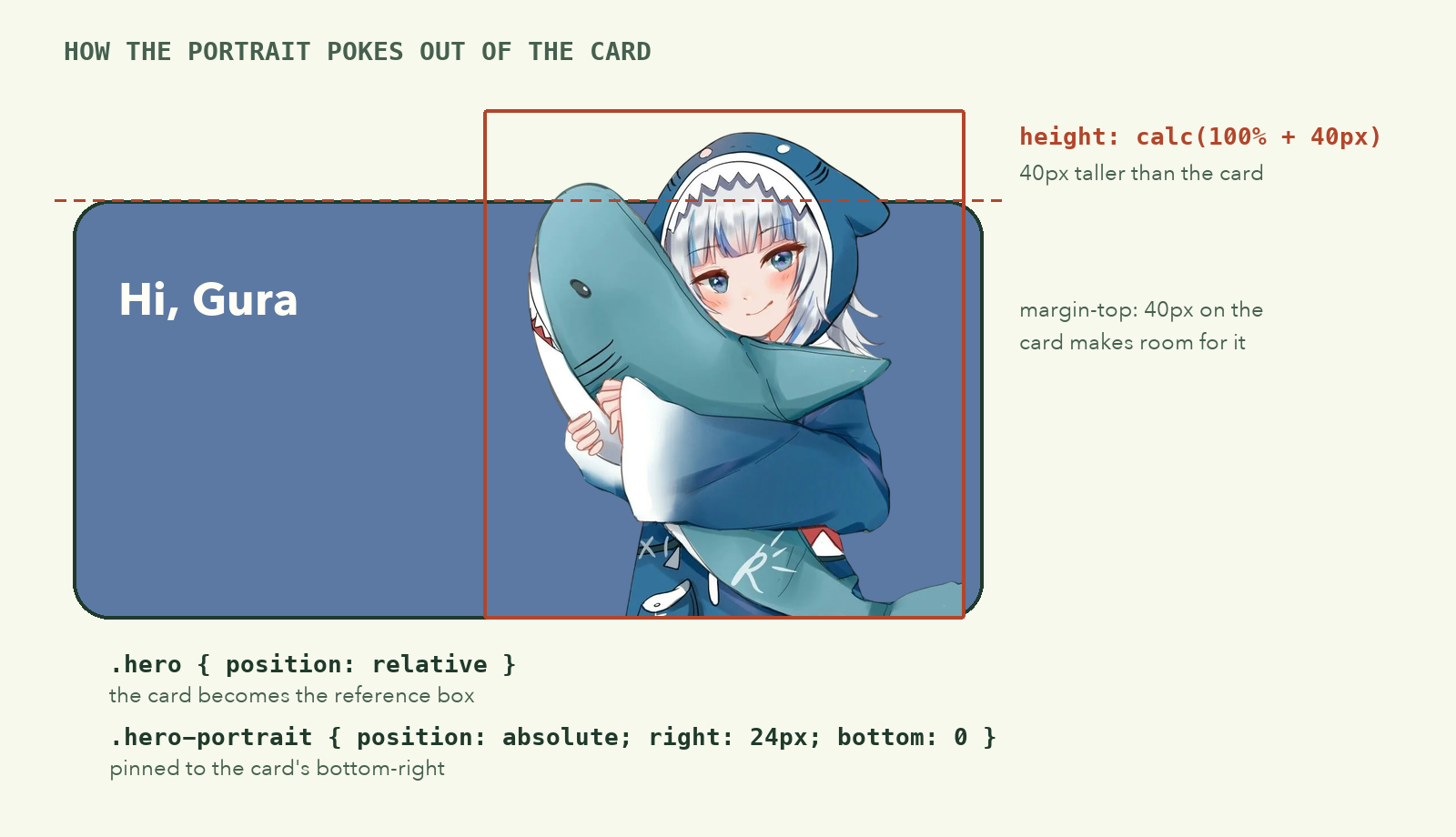
.hero-portrait {
  position: absolute;
  right: 24px;
  bottom: 0;
  height: calc(100% + 40px); /* taller than the card, so it pokes out */
  width: auto;
  max-width: 48%;
  object-fit: contain;
  object-position: bottom;
  border-bottom-right-radius: var(--radius-lg);
}
Read it as three steps:
position: absolute; right: 24px; bottom: 0pins the image to the card's bottom-right corner.height: calc(100% + 40px)makes it 40px taller than the card. Since it's pinned to the bottom, the extra 40px has nowhere to go but up, past the top edge.margin-top: 40pxon the card leaves exactly that much empty space above it, so the portrait doesn't crash into the top bar.
calc() lets you do maths with mixed units: a percentage plus pixels, which plain CSS can't otherwise combine.
The rest are safety rails. max-width: 48% stops the portrait from covering the text on medium screens. object-fit: contain and object-position: bottom keep the whole figure visible and planted on the card's floor. And because the hero's corners are rounded, border-bottom-right-radius rounds the image's corner to match, so it doesn't poke out of the curve.
Why this works only with a cutout: the portrait is a transparent PNG/WebP, so only the character is visible above the edge. A rectangular photo would show its background as a block sticking out. If you use your own photo, remove its background first.
Big, flexible headline text
.hero h1,
.slide-title {
  font-size: clamp(2rem, 5vw, 3.25rem);
  font-weight: 700;
  line-height: 1.1;
  margin-bottom: 16px;
}
clamp(min, preferred, max) is a responsive size in one line. The preferred size is 5vw, five percent of the window width, so the heading grows with the screen. But it never goes below 2rem on a phone or above 3.25rem on a huge monitor.
line-height: 1.1 is tight on purpose. Big headings look loose with the normal 1.5 line height you'd use for body text.
Three slides in one spot
The hero holds three messages, but only one shows at a time. The neat trick is where they sit:
.hero-slides {
  display: grid;
  max-width: 52%;
}

/* All slides sit in the same grid cell; only the active one is visible */
.slide {
  grid-area: 1 / 1;
  opacity: 0;
  visibility: hidden;
  transform: translateY(8px);
  transition: opacity 400ms ease, transform 400ms ease, visibility 400ms;
}

.slide.is-active {
  opacity: 1;
  visibility: visible;
  transform: none;
}
grid-area: 1 / 1 puts every slide in row 1, column 1 of the grid. They stack on top of each other like cards in a deck. The grid cell grows to fit the tallest slide, so the hero never changes height when the message changes. That's something position: absolute stacking can't do.
The hidden slides get opacity: 0 (invisible) and visibility: hidden (also skipped by screen readers and the Tab key). Changing them together with a transition gives a soft fade and a small upward slide. In lesson 9, JavaScript will move the is-active class from slide to slide, and CSS does all the animation.
The dots
.dots {
  position: relative;
  z-index: 1; /* stay clickable above the portrait */
  display: flex;
  gap: 8px;
  margin-top: 32px;
}

.dot {
  width: 48px;
  height: 6px;
  padding: 0;
  border: 0;
  border-radius: 99px;
  background: rgba(255, 255, 255, 0.45);
  cursor: pointer;
  transition: background 200ms ease;
}

.dot.is-active {
  background: var(--paper);
}

/* Bigger tap area than the thin bar you can see */
.dot::before {
  content: "";
  display: block;
  height: 32px;
  margin-top: -13px;
}
A 6px-tall bar is far too thin to tap with a finger. The ::before pseudo-element adds an invisible 32px-tall strip inside each button, so the clickable area is generous while the visible bar stays slim. You get the look of the design and the usability of a real button.
border-radius: 99px is a handy trick: any radius at least half the height makes perfectly round ends, whatever the size.
Checkpoint
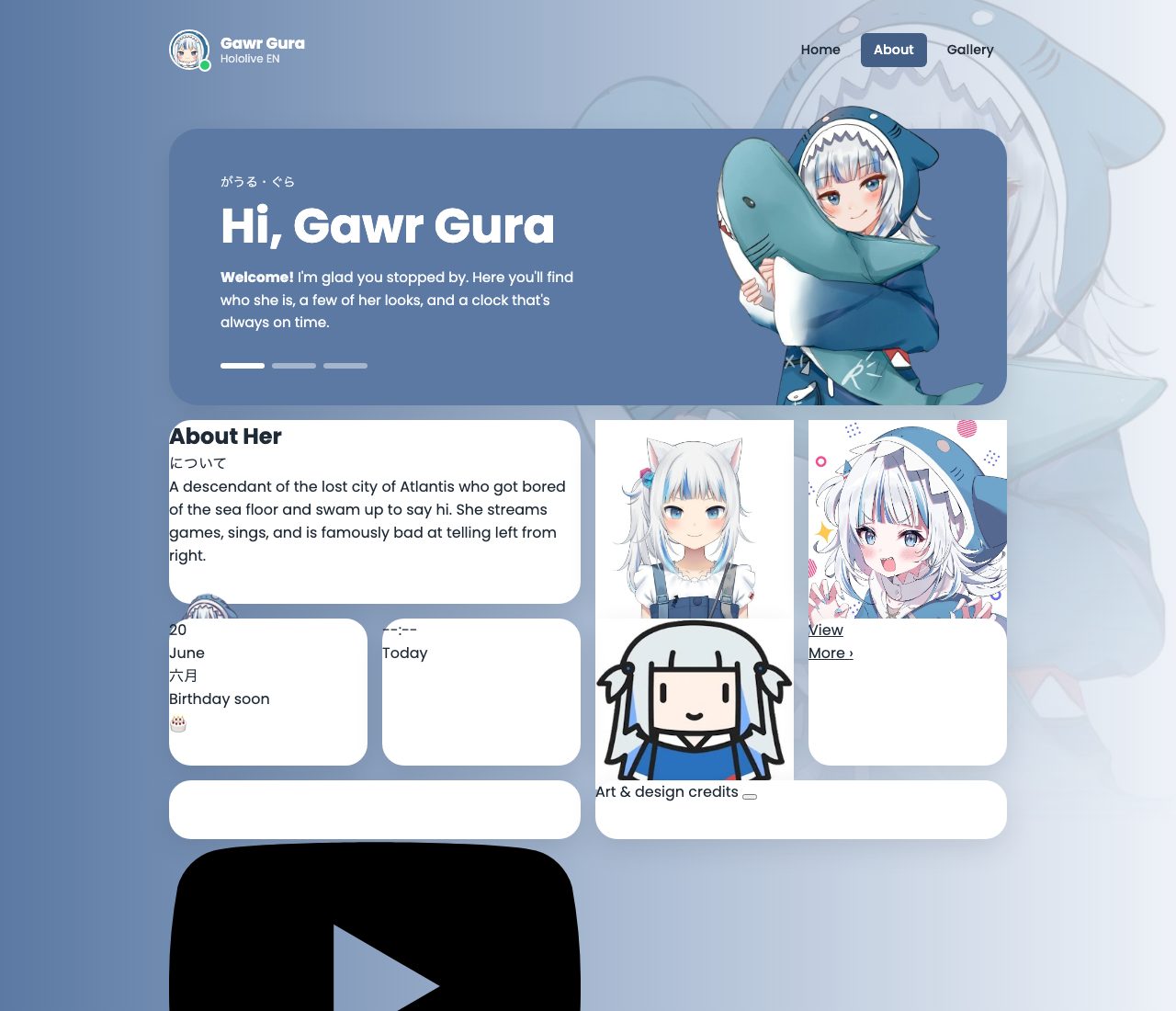
If something looks wrong
- The portrait is at the bottom of the whole page.
.card(or.hero) is missingposition: relative. - The portrait covers the top bar. Check the
margin-top: 40pxon.heromatches the+ 40pxin the portrait'scalc(). - All three slides show at once. Make sure each slide has the
slideclass, and only the first hasis-active.
What to remember
- Pin it, then oversize it:
absolute+bottom: 0+height: calc(100% + 40px)lets an image break out of its card. - Reserve the space it breaks into, here with
margin-top. clamp()gives you a responsive size with a floor and a ceiling.grid-area: 1 / 1stacks elements in one cell, and the cell sizes to the tallest.- Make the hit area bigger than the visible part when a control is thin.
Next, the details that make each card feel finished: Card Details.