Loops: Doing Things Many Times
Computers never get bored. Loops let one small block of code repeat hundreds of times: counting, going through lists, and repeating until something happens.
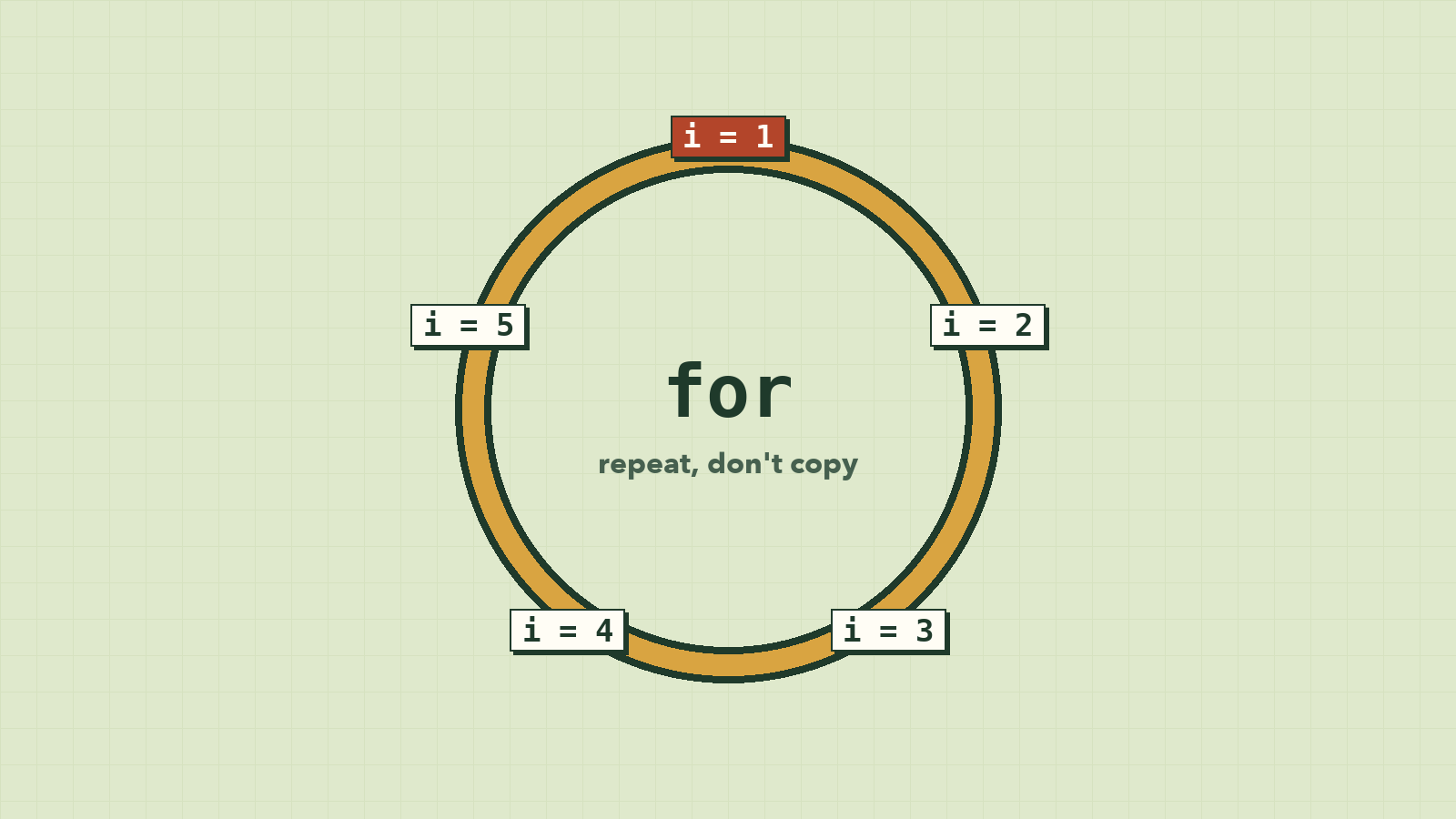
Imagine your boss asks you to send a personalised message to every customer. There are 3,000 of them. You could copy, paste, and edit 3,000 times, and somewhere around number 412 you'd make a typo nobody catches.
Or you could write the message once and tell the computer: "do this for every customer." Computers never get bored, never lose count, and never mistype on the 412th try.
That's a loop, and it's the reason computers are worth programming at all.
Don't repeat yourself
Say you want to print the numbers 1 to 5:
console.log(1);
console.log(2);
console.log(3);
console.log(4);
console.log(5);
That works, but what about 1 to 1,000? Or printing every product in a shop with 3,000 products? Copy and paste doesn't scale, and every copy is a place for a typo to hide.
A loop says: "run this block of code again and again, while something is true." Computers are perfect for this. They never get bored and never lose count.
The for loop: repeat a set number of times
for (let i = 1; i <= 5; i++) {
  console.log(i);
}
// 1 2 3 4 5 (each on its own line)
The first line has three parts, separated by ;:
| Part | Code | Meaning |
|---|---|---|
| Start | let i = 1 |
Make a counter i, starting at 1. Runs once. |
| Keep going while | i <= 5 |
Checked before every round. When it's false, the loop stops. |
| After each round | i++ |
Add 1 to i. (i++ is short for i = i + 1.) |
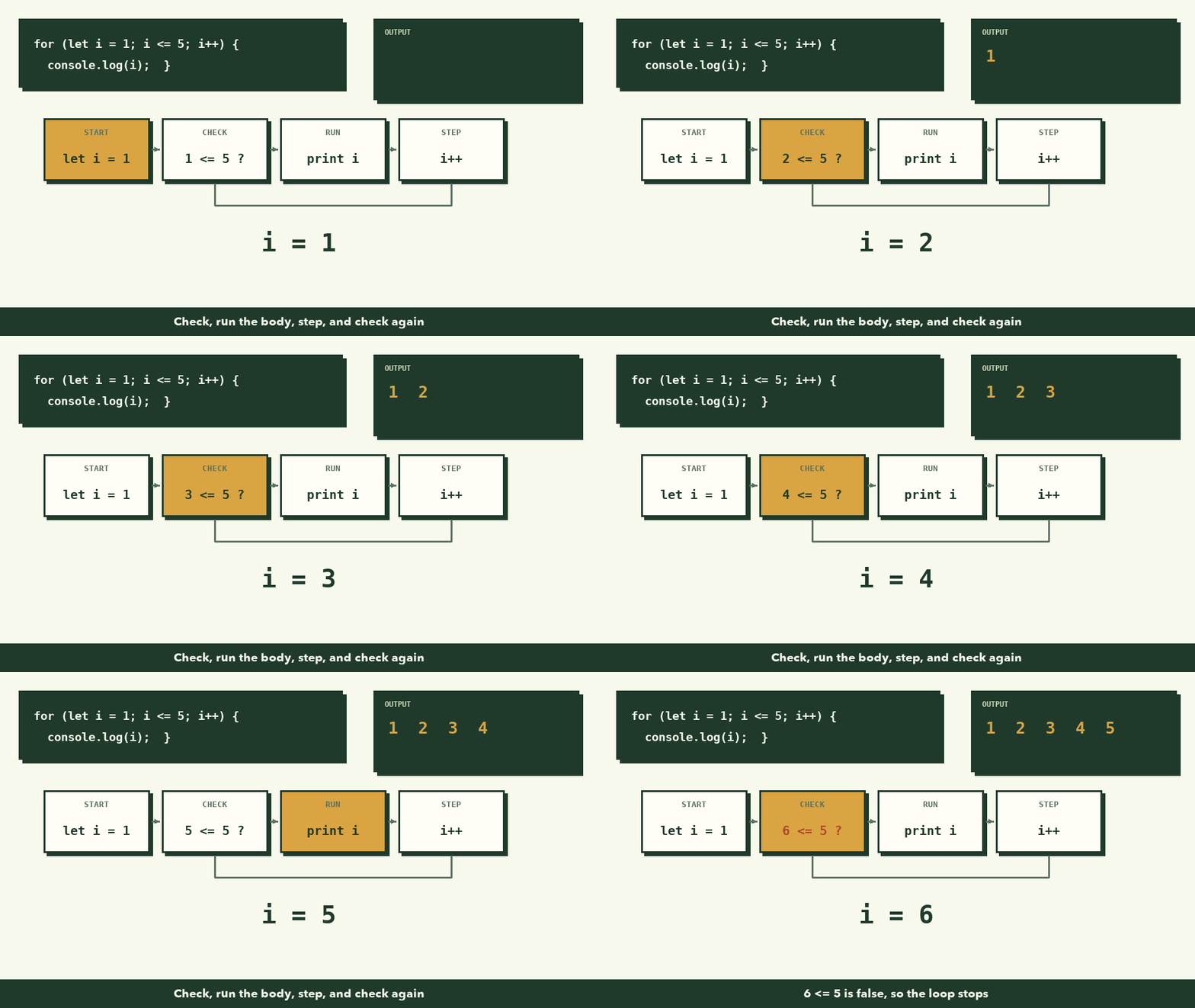
Walk through it like the computer does: i is 1, is 1 ≤ 5? Yes, print 1, add 1. i is 2, is 2 ≤ 5? Yes, print 2... When i becomes 6, the check 6 <= 5 is false, and the loop ends.
Why the name i? It's short for "index" and is a tradition. For counters that mean something, use a real name like day or row.
Example: a multiplication table
const n = 7;

for (let i = 1; i <= 10; i++) {
  console.log(`${n} × ${i} = ${n * i}`);
}
// 7 × 1 = 7
// 7 × 2 = 14
// ...
// 7 × 10 = 70
Three lines of loop replace ten lines of copying.
for...of: go through every item in a list
Most of the time, you'll loop over an array. for...of gives you each item, one at a time, with no counter to manage:
const fruits = ["mango", "banana", "durian"];

for (const fruit of fruits) {
  console.log(`I like ${fruit}`);
}
// I like mango
// I like banana
// I like durian
Read it as "for each fruit in fruits, do this." It's the clearest loop there is, so reach for it first whenever you have a list.
Loops + variables: adding things up
A very common pattern is to keep a running total in a variable that lives outside the loop:
const prices = [12000, 8500, 4000, 15500];

let total = 0;

for (const price of prices) {
  total = total + price;
}

console.log(`Total: ${total} riel`);
// Total: 40000 riel
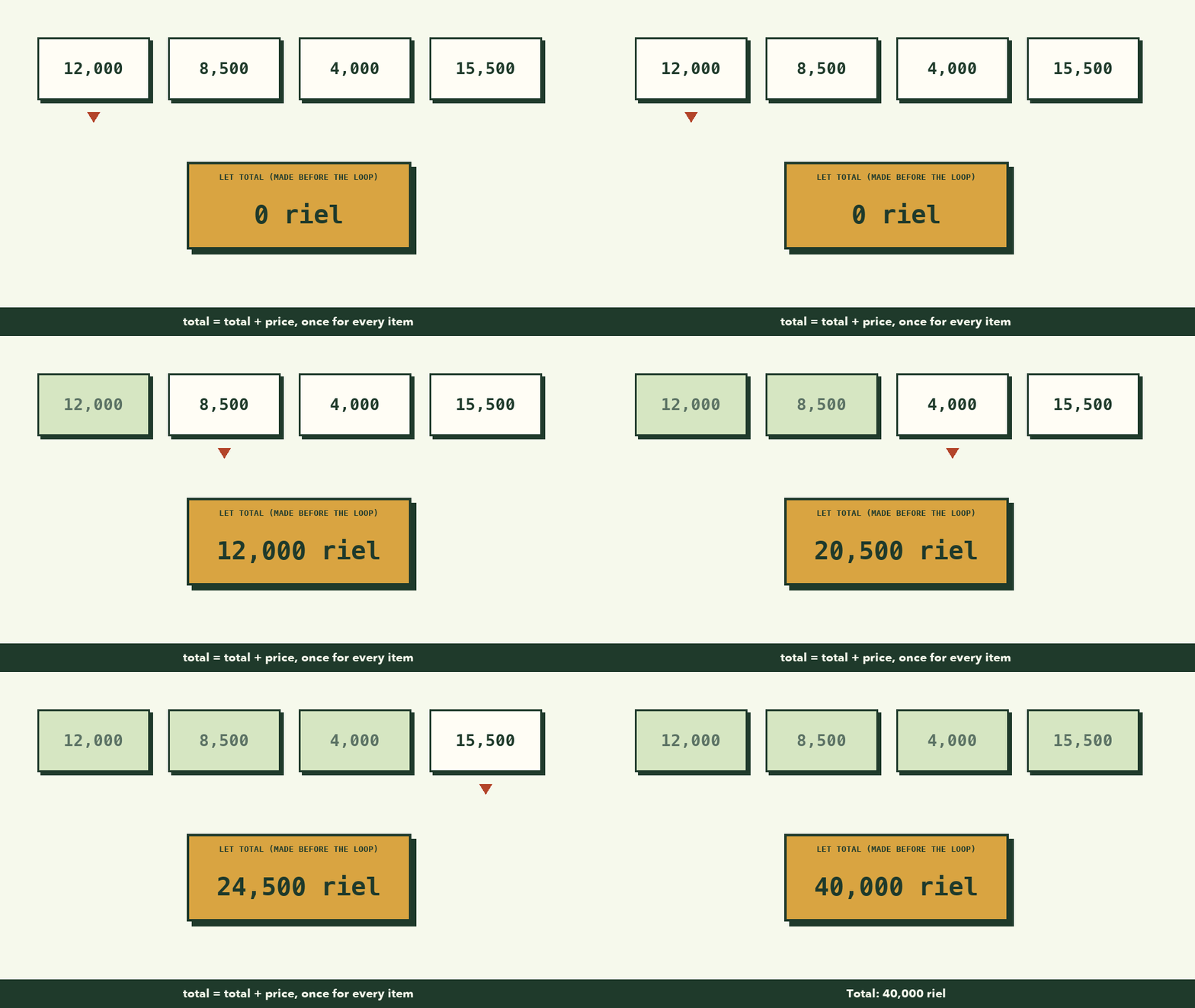
Why is total created before the loop? If you created it inside, it would be reset to 0 every round and you'd lose the sum.
Loops + conditions: finding things
Combine a loop with an if from the last lesson, and you can search:
const scores = [45, 88, 72, 91, 60];

let highest = scores[0];

for (const score of scores) {
  if (score > highest) {
    highest = score;
  }
}

console.log(`Highest score: ${highest}`);
// Highest score: 91
This is the "find the biggest number" exercise from lesson 2, now as real code. The plan came first; the code followed.
The while loop: repeat until something changes
Sometimes you don't know how many rounds you need. You just know when to stop. That's what while is for.
Example: you save 20,000 riel a week. How many weeks until you can buy a 150,000 riel pair of shoes?
const goal = 150000;
let saved = 0;
let weeks = 0;

while (saved < goal) {
  saved = saved + 20000;
  weeks++;
}

console.log(`You need ${weeks} weeks.`);
// You need 8 weeks.
The loop keeps going while saved < goal is true. Each round changes saved, so eventually the condition becomes false and the loop ends.
Watch out: the infinite loop
What if nothing inside the loop ever changes the condition?
let saved = 0;

while (saved < 150000) {
  console.log("Saving...");
  // oops: we forgot to add to saved!
}
saved stays 0 forever, so the condition is always true, and the loop never ends. The browser tab freezes. This is an infinite loop, and every programmer writes one sooner or later.
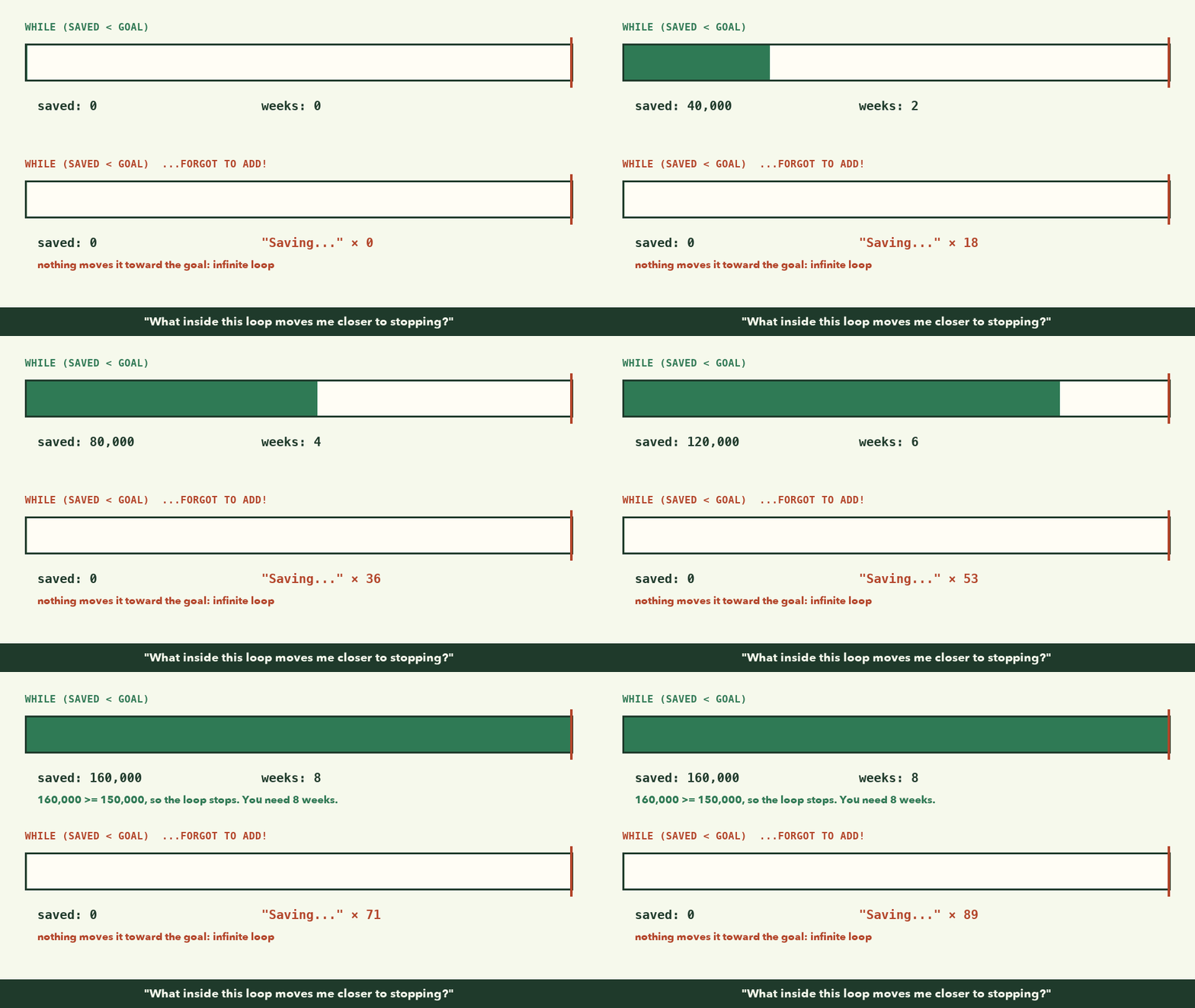
If it happens, don't panic: close the tab and fix the code. To prevent it, ask yourself one question for every while loop:
"What inside this loop moves me closer to stopping?"
If you can't point to the line, you have an infinite loop.
Which loop should I use?
| Situation | Loop |
|---|---|
| Go through every item in an array | for...of |
| Repeat an exact number of times, or you need the position number | for |
| Repeat until something happens, and you don't know when | while |
What to remember
- A loop repeats a block of code so you don't copy and paste.
forcounts: start, keep-going condition, step.for...ofwalks through every item in an array. It's usually the clearest choice.whilerepeats until a condition becomes false.- Keep totals in a variable created before the loop.
- Every
whileloop needs something inside that moves it toward stopping.
Try it yourself
- Print the even numbers from 2 to 20. (Hint: change the "after each round" part to
i += 2.) - Given
const temps = [31, 34, 29, 36, 33];, calculate the average temperature. - Count how many names in
["Dara", "Sokha", "Dany", "Vuthy"]start with "D". (Hint:name.startsWith("D").) - Deliberately write an infinite loop, run it, and close the tab. Now you know what it feels like, and it won't scare you later.
Next lesson: functions, how to package a piece of logic under a name so you can reuse it anywhere.