Debugging Without Panic
Bugs aren't a sign you're bad at programming; they're a normal part of it. Learn to read error messages, trace what your code really does, and fix problems calmly and methodically.
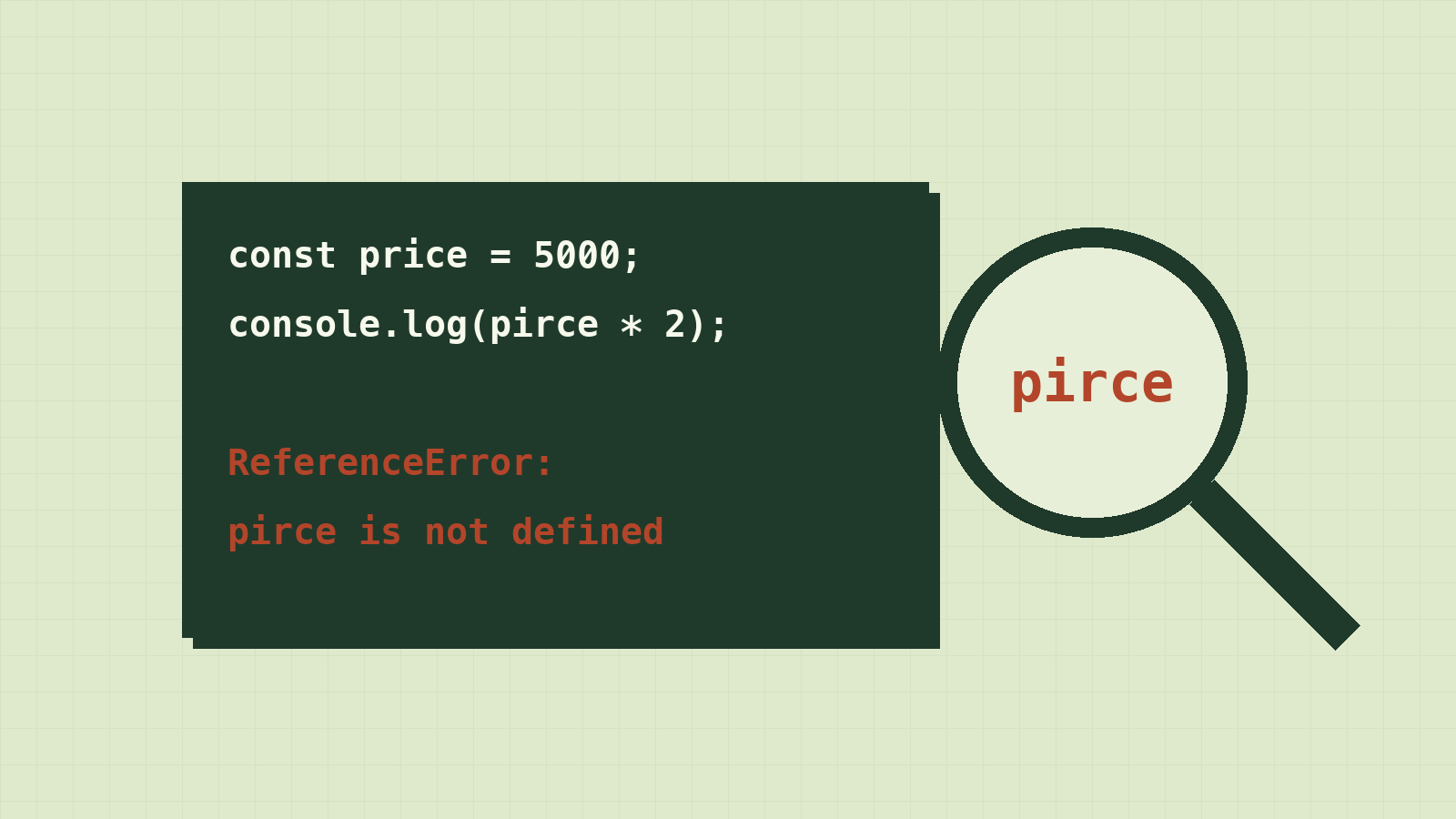
Here's something nobody tells beginners: professional developers see red error text all day, every day. They write bugs constantly. The difference isn't that they make fewer mistakes. It's that a bug doesn't scare them.
When something breaks, they don't stare at the screen hoping it fixes itself, and they don't start changing random lines. They follow a method, calmly, and the bug gives up.
This lesson teaches you that method, so the next time your code breaks, you'll know exactly what to do.
Everyone writes bugs
A bug is when your program does something different from what you wanted. Remember lesson 1: the computer does what you said, not what you meant. A bug lives in the gap between the two.
Professional developers write bugs every single day. What makes them professionals isn't that they avoid bugs. It's that they find and fix them calmly. Debugging is a skill, and like any skill it gets easier with practice.
So when you see red text in the console, read it as "the computer is telling me something", not "I'm bad at this".
Three kinds of bugs
| Kind | What happens | Example |
|---|---|---|
| Syntax error | The code can't even run; it breaks the language's grammar | A missing ) or } |
| Runtime error | The code starts, then crashes on one line | Using a variable that doesn't exist |
| Logic error | No error at all, but the result is wrong | Using + on strings and getting "76" instead of 13 |
The first two come with an error message, which is good news: the computer is pointing at the problem. Logic errors are the sneaky ones, because nothing tells you something is wrong. That's where the techniques below matter most.
Reading an error message
Run this in your console:
const price = 5000;
console.log(pirce * 2);
You'll see something like:
Uncaught ReferenceError: pirce is not defined
    at <anonymous>:2:13
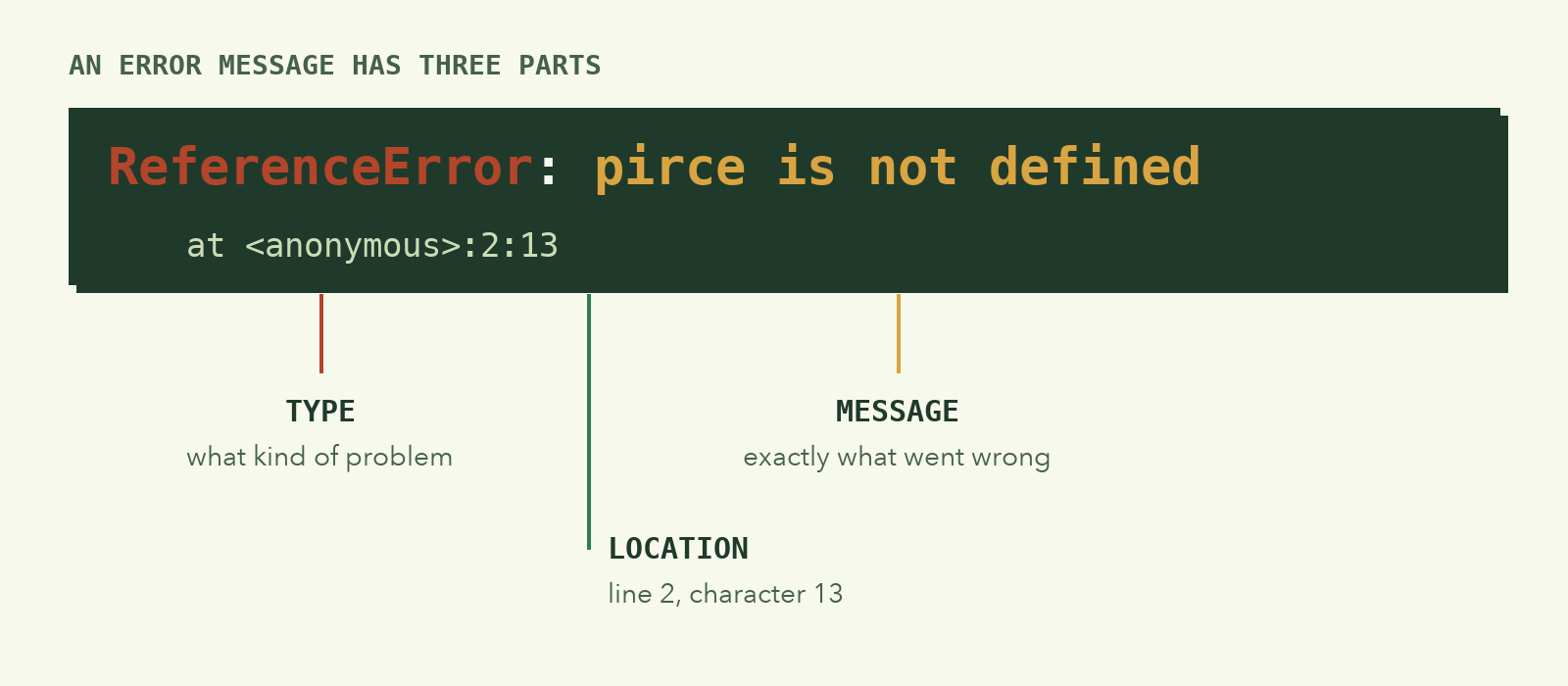
Break it into pieces:
| Part | Meaning |
|---|---|
ReferenceError |
The type of error: you referred to something that doesn't exist |
pirce is not defined |
The message: exactly what went wrong. We typed pirce instead of price |
:2:13 |
The location: line 2, character 13 |
Most errors tell you what went wrong and where. Read the message slowly, word by word, before changing anything. At least half of all bugs are solved just by reading the error carefully.
Common errors you'll meet:
| Error | Usually means |
|---|---|
X is not defined |
A typo in a name, or you used a variable before creating it |
Cannot read properties of undefined |
You did something.name but something is empty |
X is not a function |
You tried to call something with () that isn't a function, often a typo |
Unexpected token |
A syntax problem: missing or extra brackets, commas or quotes |
Assignment to constant variable |
You tried to change a const. Use let if it really must change |
Print debugging: make your code show its work
For logic errors there's no error message, so you have to look inside your program while it runs. The simplest tool is the one you already know: console.log.
This function should return the total of a list of prices, but it gives the wrong answer:
function getTotal(prices) {
  let total = 0;
  for (const price of prices) {
    total = price;
  }
  return total;
}

console.log(getTotal([1000, 2000, 3000])); // 3000 — expected 6000!
Instead of staring at it, add a log inside the loop:
function getTotal(prices) {
  let total = 0;
  for (const price of prices) {
    total = price;
    console.log("price:", price, "total:", total);
  }
  return total;
}
The output shows the problem immediately:
price: 1000 total: 1000
price: 2000 total: 2000
price: 3000 total: 3000
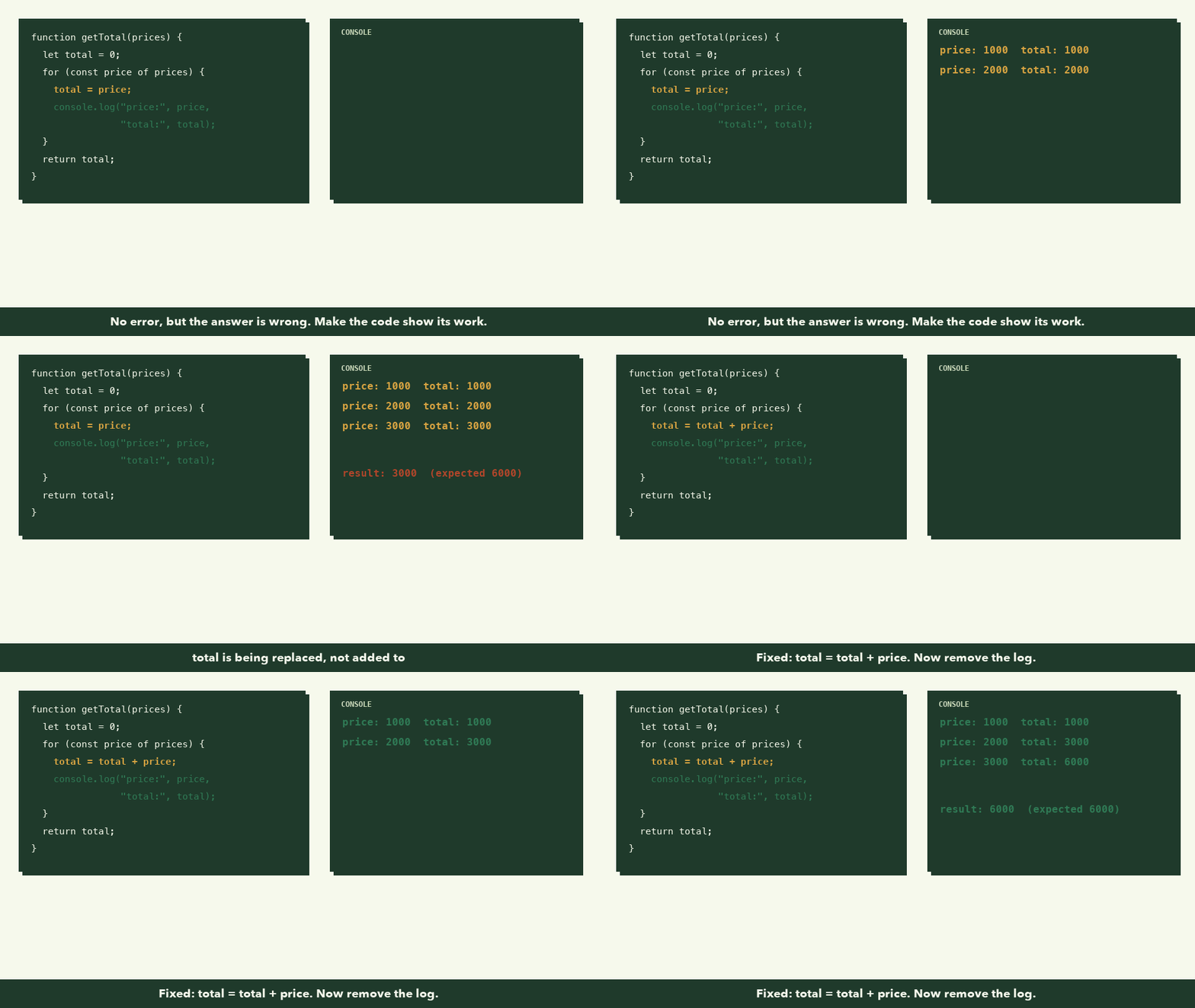
total isn't adding up; it's being replaced each time. The fix is total = total + price;. Once it works, delete the extra log.
Tip: Always label your logs, like
console.log("total:", total). When you have five logs, unlabelled numbers are impossible to tell apart.
A calm, repeatable method
When something's wrong, follow these steps in order instead of changing random things:
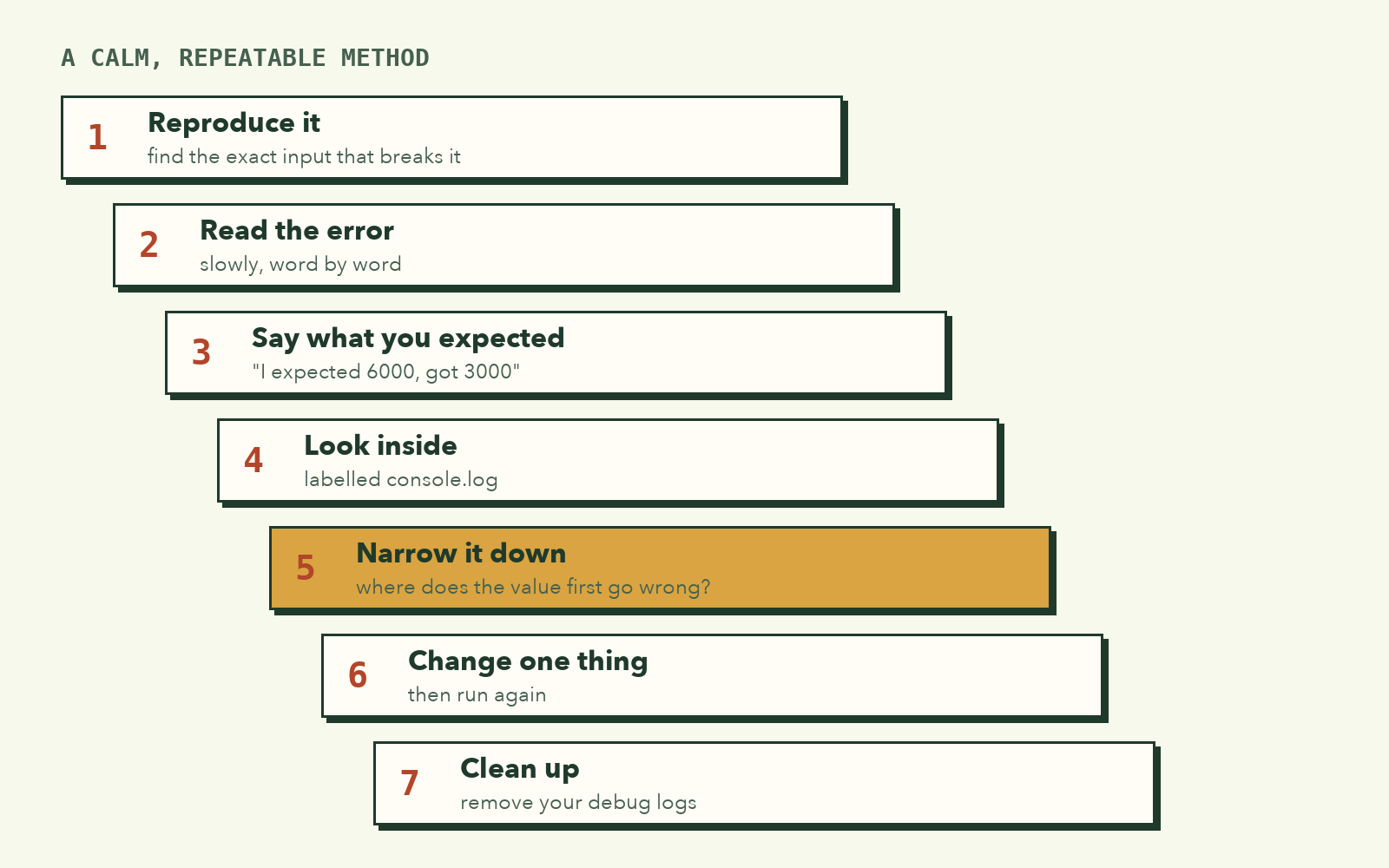
- Reproduce it. Find the exact input that causes the bug. If you can't make it happen reliably, you can't confirm you've fixed it.
- Read the error. If there is one, read it slowly. Go to the line it points to.
- Say what you expected. "I expected
totalto be 6000, but it's 3000." Being specific often reveals the answer. - Look inside. Add labelled
console.logs to see the real values, step by step. - Narrow it down. Find the first place where a value stops matching what you expect. The bug is just before that point.
- Change one thing at a time. Then run again. If you change five things at once, you won't know which one helped.
- Clean up. Remove your debug logs once it works.
Rubber duck debugging
This sounds silly, but developers everywhere swear by it: explain your code, line by line, out loud, to a friend, a pet, or a rubber duck on your desk.
Explaining forces you to say what each line actually does, not what you assume it does. Very often, halfway through a sentence like "and then this line adds the price to the total..." you realise it doesn't.
Take a break
If you've been stuck for 30 minutes, walk away for 10. Get water, look out the window. Your brain keeps working on the problem in the background, and the answer often appears the moment you come back.
Being stuck is not failure. It's a normal part of the process.
What to remember
- Bugs are normal. The skill is finding them calmly.
- Syntax and runtime errors come with messages. Logic errors don't.
- Error messages tell you what went wrong and where. Read them slowly.
- Use labelled
console.logs to see what your code is really doing. - Follow the method: reproduce, read, state what you expected, look inside, narrow down, change one thing at a time.
Try it yourself
Each snippet has one bug. Find it using the method above.
// 1. Should print "Hello, Dara"
const name = "Dara";
console.log("Hello, " + Name);
// 2. Should print 1 to 5
for (let i = 1; i < 5; i++) {
  console.log(i);
}
// 3. Should say "Adult" for age 18
const age = 18;
if (age > 18) {
  console.log("Adult");
} else {
  console.log("Minor");
}
Next, a tool that can be your best debugging partner, or quietly stop you from learning: AI. Let's learn to use it the right way.