Semantic HTML and Accessibility: Giving Page Structure Meaning
A page built from nothing but <div> can look perfect and still be a maze for anyone using a screen reader. Learn the handful of elements that give a page real structure, and when a plain div is still the right call.
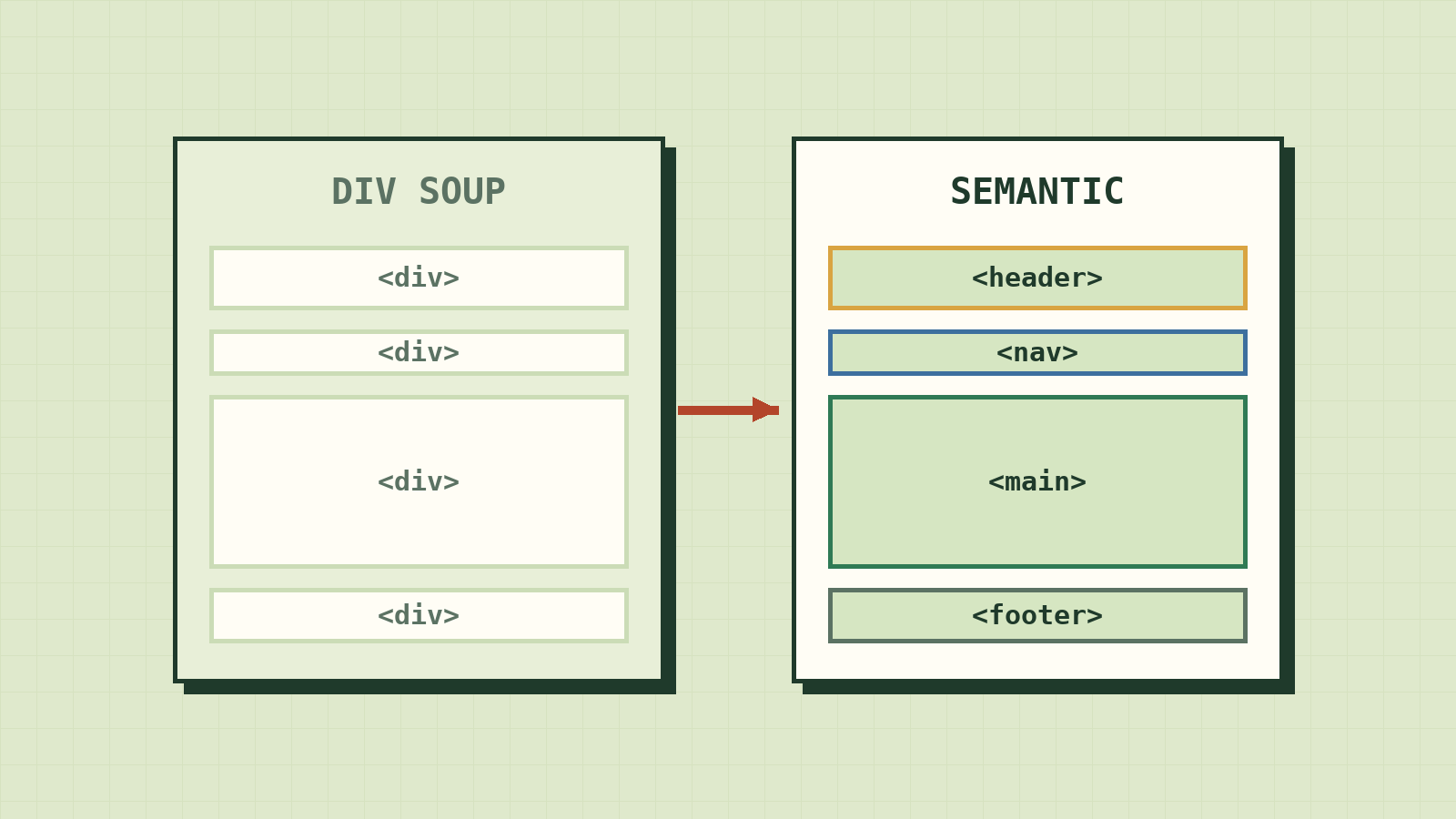
Close your eyes and imagine using a website with only your ears. A screen reader speaks the page aloud, one line at a time. You want the main article, but first you hear the logo, then twelve menu links, then a search box, then a cookie banner.
People who use screen readers don't put up with that. They jump: straight to the navigation, straight to the main content, straight to the footer. But they can only jump if the page tells them where those places are.
That's what semantic HTML does. Same page, same look, but the markup says what each region is. It takes almost no extra work, and it's the difference between a page some people can use and a page everyone can.
What "div soup" hides
A <div> is a box with no meaning. It groups things so you can style them, and that's all.
<div class="header">
  <div class="logo">MySite</div>
  <div class="menu">
    <div class="link">Home</div>
  </div>
</div>
With the right CSS this can look exactly like a header with a menu. But to the browser, it's four anonymous boxes. Nothing says header, nothing says navigation.
The last line is the worst. <div class="link"> is a link only in appearance. It has no destination, you can't reach it with the Tab key, and pressing Enter on it does nothing. A real link, <a href="…">, gets all of that for free.
Elements that say what they are
Here's the same header, written to mean what it shows:
<header>
  <a href="/" class="logo">MySite</a>
  <nav aria-label="Primary">
    <a href="/">Home</a>
  </nav>
</header>
Now watch what that changes for someone using a screen reader:
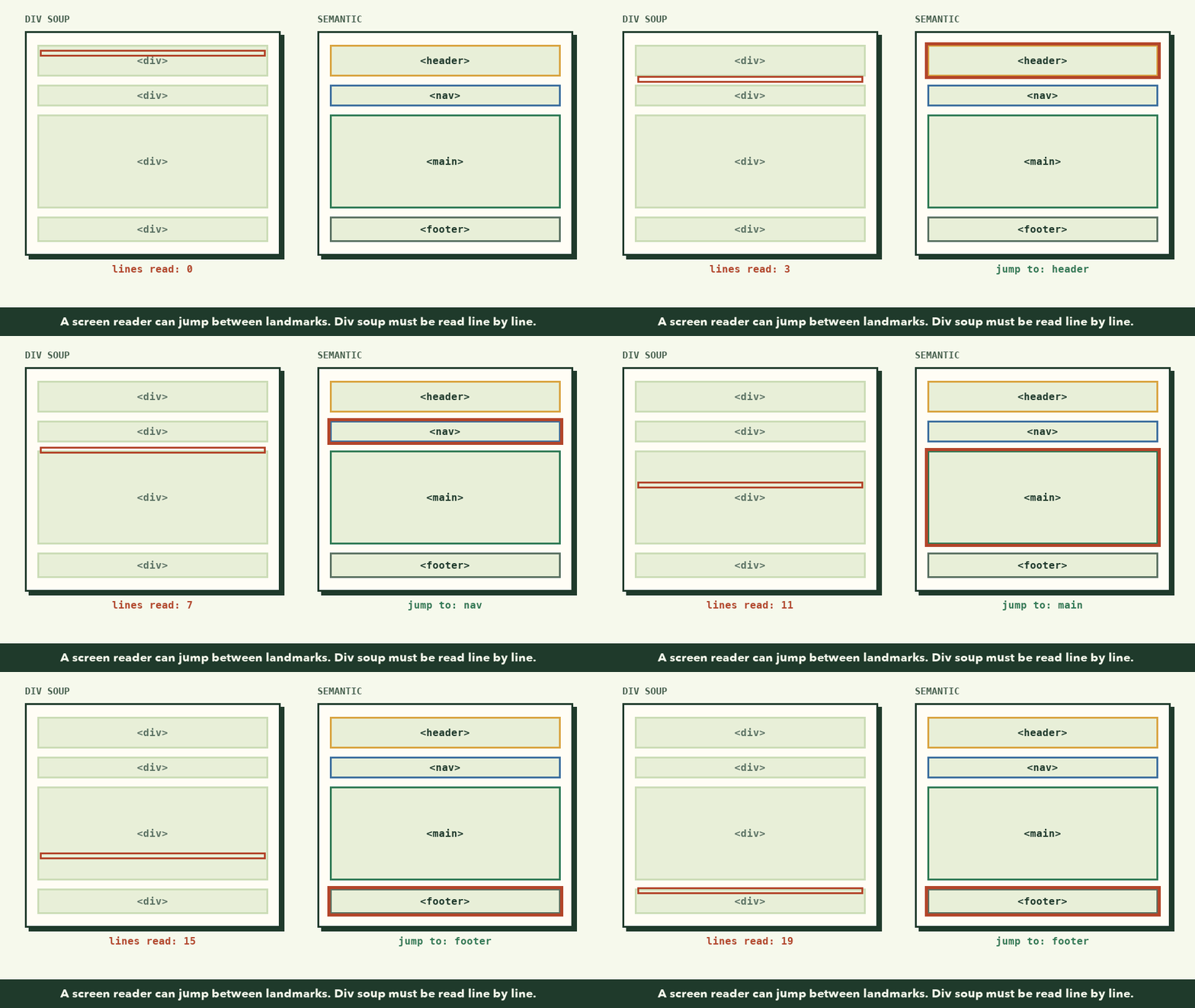
These regions are called landmarks, and screen readers list them like chapters in a book. The common ones:
| Element | Use it for |
|---|---|
<header> |
The intro to a page or a section: logo, title, top links |
<nav> |
A main group of navigation links |
<main> |
The primary content. One per page. |
<article> |
Something that could stand alone: a post, a product card, a comment |
<section> |
A themed part of the page, usually with its own heading |
<aside> |
Related but secondary: a sidebar, a tip, a "see also" |
<footer> |
Closing info for a page or section |
What about SEO?
Search engines read this structure too, so semantic HTML helps them understand which part is the article and which part is the menu. It's good for clarity. It is not a ranking trick, though. Swapping divs for semantic tags won't move you up the results by itself. Useful content does that.
Choosing the right element
When you're not sure, walk down this list and stop at the first yes:
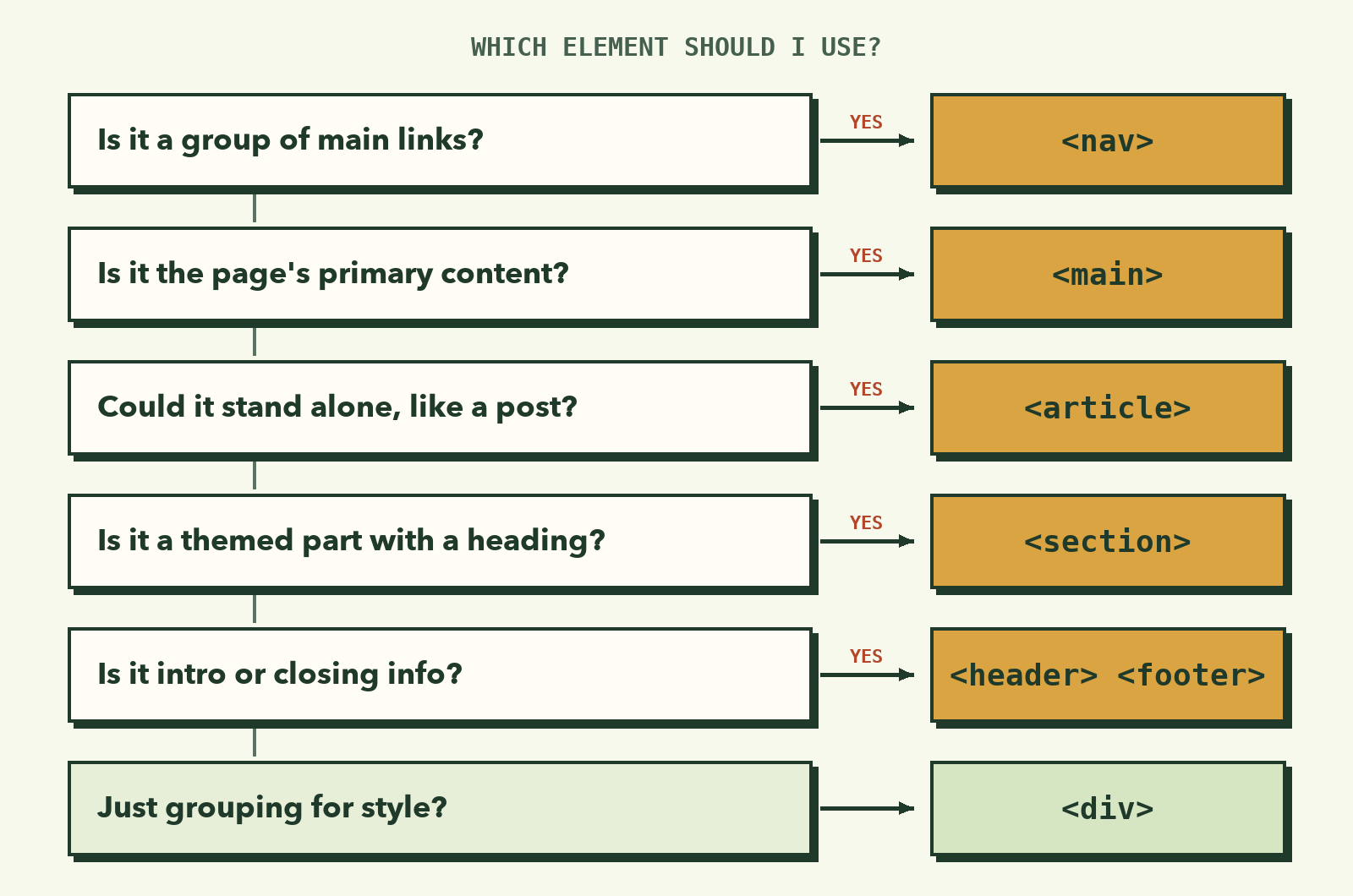
That last row matters. Semantic HTML isn't about deleting every <div>. A wrapper that exists only for layout should be a div. Using <section> there would describe something that isn't true, which is its own kind of confusing.
Try it: give your profile card meaning
Open my-first-site/index.html from the last lesson.
🎯 Hands-on Task (អនុវត្តផ្ទាល់)
- Change
<div class="card">to<article class="card">, and its closing</div>to</article>. A profile card can stand on its own, so it's an article.- Wrap the badge, the
<h1>, and the intro paragraph in a<header>.- Leave the skills heading, list, and link after that header.
- Save and reload. The
.cardclass didn't move, so nothing should look different.- Press
Tabuntil the link is highlighted, then pressEnter. It should open, no mouse needed.
Your card should now look like this:
<article class="card">
  <header>
    <span class="badge">Aspiring Web Developer</span>
    <h1>Hello, I'm Learning to Code</h1>
    <p>Building web projects from first principles...</p>
  </header>

  <h2>Skills in Progress</h2>
  <ul class="skills">
    <!-- skill items -->
  </ul>

  <a href="https://panha-insight.vercel.app" class="btn">Visit PanhaInsight</a>
</article>
You're done when the page looks exactly the same as before, but the markup now says what each part is.
If something looks wrong
- The styling changed. Check that
class="card"moved onto the new<article>. Semantic elements take classes just like divs. - You want to replace every div. Don't. Only replace a div when another element describes its real job.
- Your
<section>has no heading. Then it probably isn't a section. Give it a heading that names it, or use a div.
What to remember
- A
<div>has no meaning. That's fine for layout, wrong for structure. - Landmarks (
header,nav,main,footer) let people jump around a page. - Use real elements for real jobs: a link is
<a href>, a button is<button>. - Semantic HTML makes pages clearer to machines, but it's not an SEO shortcut.
Next, you'll start shaping how things look, beginning with the rule behind every layout: The CSS Box Model.