The CSS Box Model: How Browsers Calculate Space
You set a box to 300px wide, and it comes out 350px. You add two margins, and they don't add up. Both are the box model at work. Learn the four layers of every box, the one line of CSS that makes widths behave, and why some margins collapse.
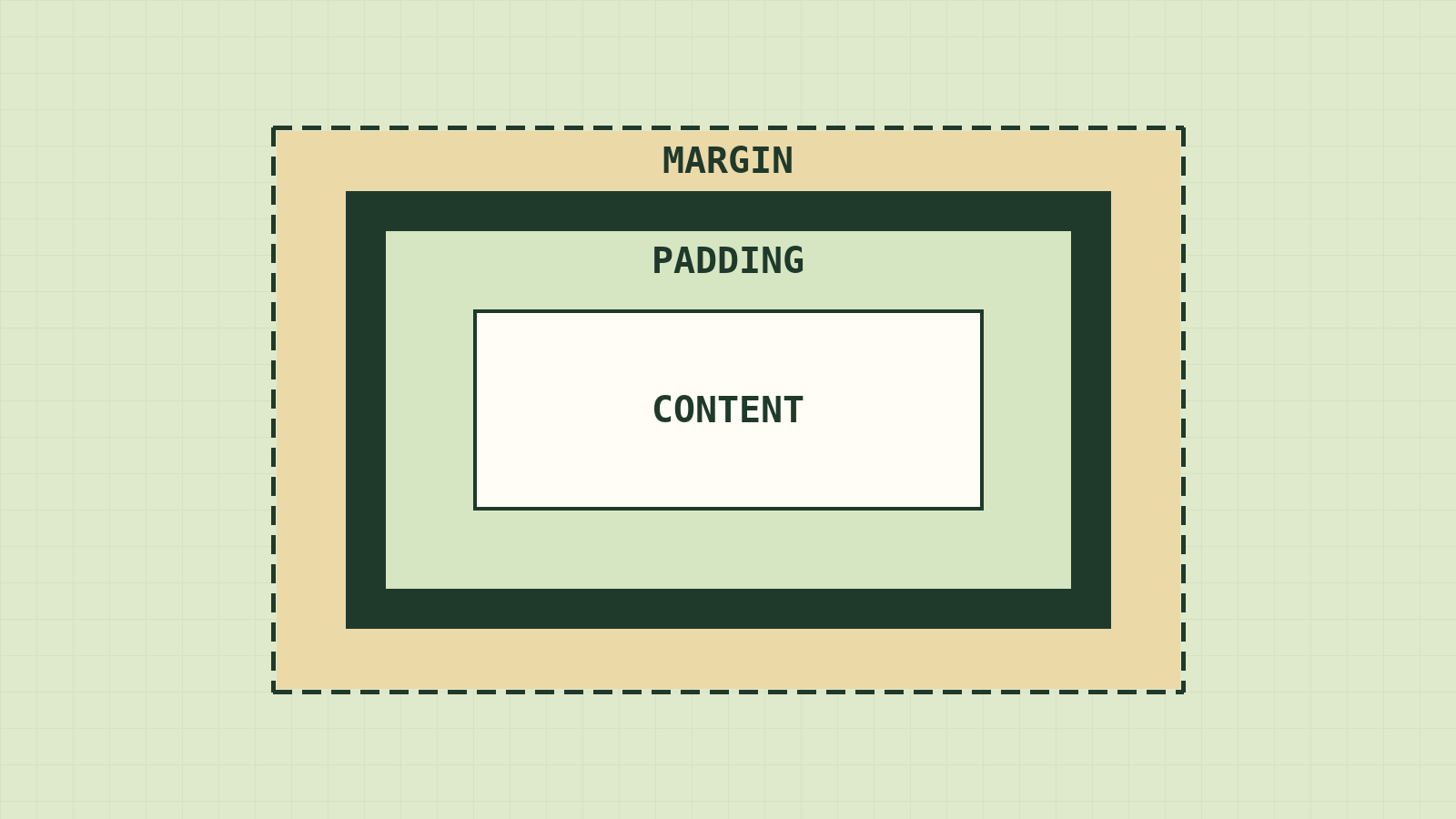
Here's a bug almost every beginner hits in their first week of CSS. You want two cards side by side, so you make each one width: 50%. You add a little padding so the text doesn't touch the edges. And the second card falls onto the next line.
Nothing is broken. The browser did exactly what you asked. You just asked something slightly different from what you meant, because of how the browser measures a box.
To the browser, everything on the page is a box: every heading, paragraph, image, and button. Once you can see those boxes and how they're measured, layout stops being guesswork.
Four layers, inside out
Every box has four layers, like a framed photo on a wall:
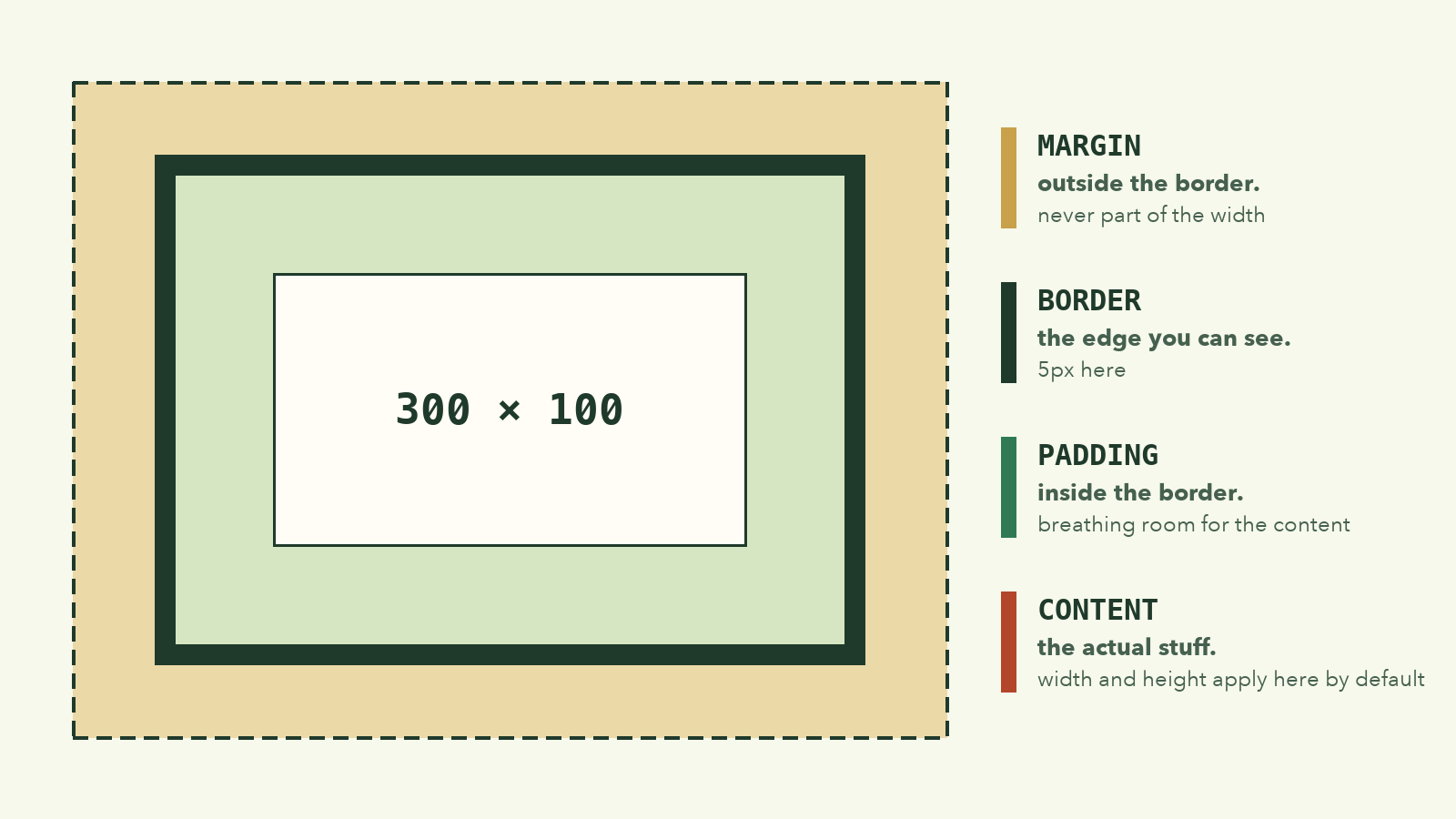
- Content is the photo: text, images, child elements.
- Padding is the mat around the photo. It's inside the box, so it takes the box's background color.
- Border is the frame, the visible edge.
- Margin is the gap between this frame and the next one on the wall. It's outside the box and always transparent.
You can see all four on any element. Right-click something, choose Inspect, and look for the nested-boxes diagram in the Computed or Layout panel.
One caveat: this is the picture for block boxes, like <div> and <p>, which stack vertically. Inline boxes, like <a> or <span> inside a sentence, flow with the text and ignore width. You'll meet them properly later.
The 300px box that comes out 350px
Here's the CSS from that card bug, simplified:
.box {
  width: 300px;
  padding: 20px;
  border: 5px solid black;
}
How wide does it look on screen? Most people guess 300px. The answer is 350px:
  300px  content
+  40px  padding (20 left, 20 right)
+  10px  border  (5 left, 5 right)
= 350px  what you see
That's because by default, width only measures the content. Padding and border get added on the outside. This default is called box-sizing: content-box.
There's a second mode, border-box, where width means the whole visible box. Watch the two side by side as padding and border are added:
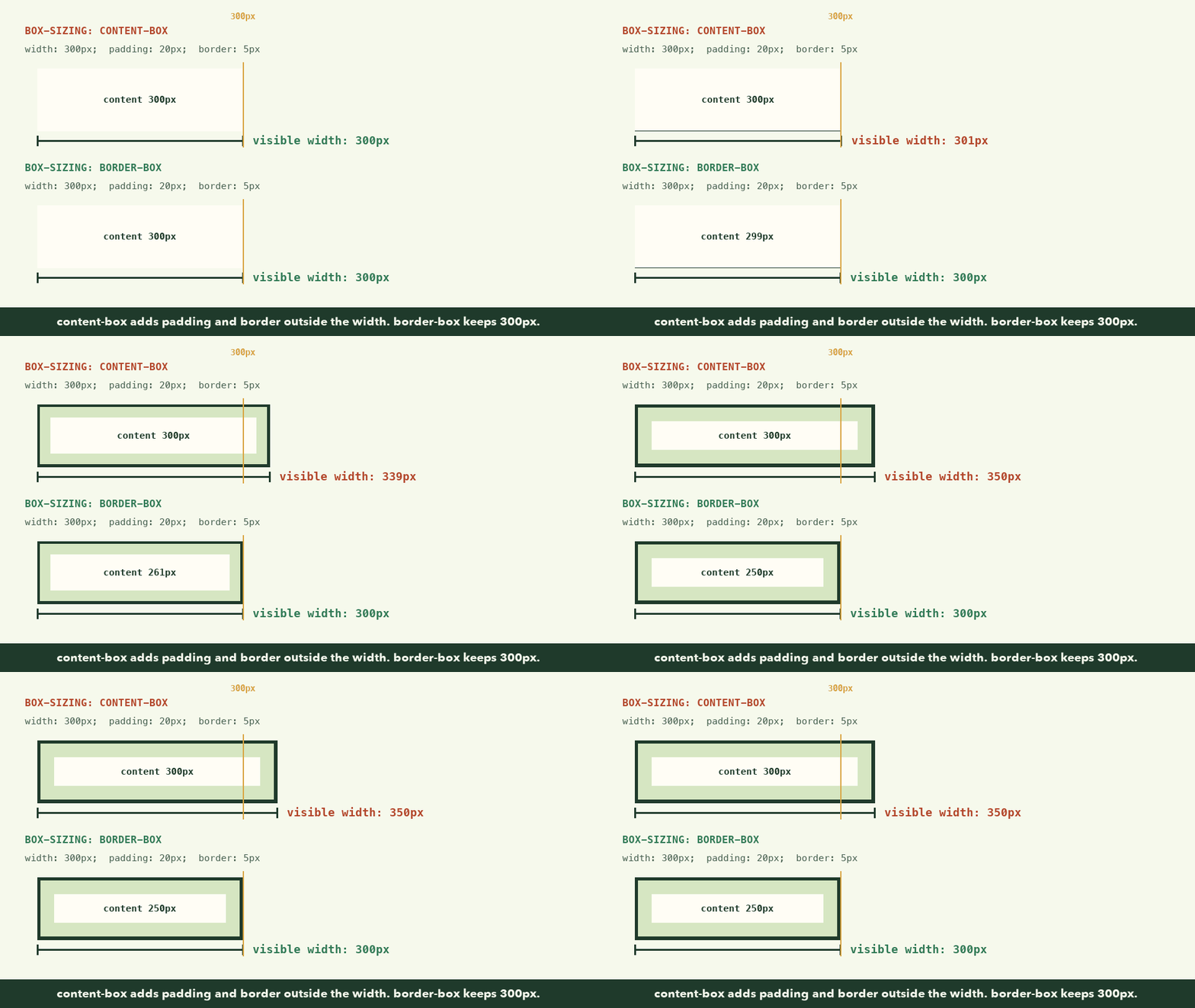
With border-box, a box you set to 300px stays 300px. The browser shrinks the content area to make room for the padding and border inside.
That's so much easier to reason about that most developers switch every element to it on day one:
*,
*::before,
*::after {
  box-sizing: border-box;
}
Put that at the top of every stylesheet you write. The 50% cards from the start of this lesson will sit side by side again.
Margin is never included, in either mode. It's space between boxes, not part of one.
When 40 + 24 = 40
One more surprise. Two paragraphs, one after the other:
.first  { margin-bottom: 40px; }
.second { margin-top: 24px; }
You'd expect 64px of space between them. You get 40px.
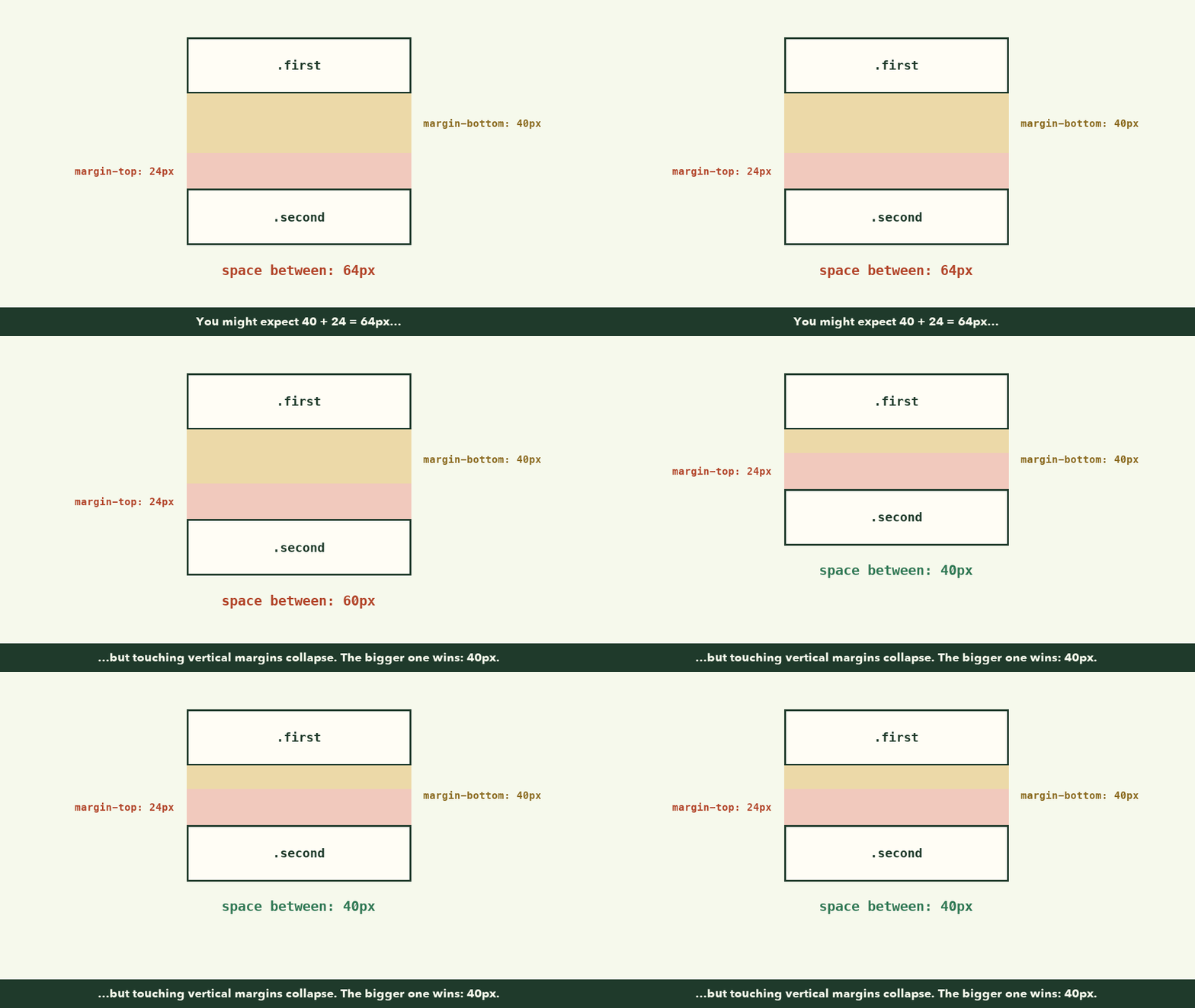
This is margin collapsing. When the top and bottom margins of block elements touch in normal flow, they merge into one, and the larger margin wins. It was designed for text: a paragraph after a heading shouldn't get double spacing.
It only happens to vertical margins, and it doesn't happen inside flexbox or grid layouts. So if spacing looks smaller than you set it, inspect both elements before you start adding more margin.
Try it: watch the box change size
Paste this into any practice HTML file:
<div class="box">Inspect me</div>

<style>
  .box {
    width: 300px;
    padding: 20px;
    border: 5px solid #2563eb;
    margin: 24px;
    background: #dbeafe;
  }
</style>
🎯 Hands-on Task (អនុវត្តផ្ទាល់)
- Open the file in your browser.
- Right-click the blue box and choose Inspect.
- Find the box-model diagram in the Computed or Layout panel.
- Confirm the content is 300px wide and the whole visible box is 350px.
- In the Styles panel, add
box-sizing: border-box;to.box.- Now the visible box is 300px, and the content has shrunk.
- Hover each layer of the diagram and watch the browser highlight it on the page.
You're done when you can explain, in one sentence, why the same width: 300px gave you two different boxes.
If something looks wrong
- The element is wider than you set. Check its
box-sizing, padding, and border. Undercontent-box, they're added outside the width. - The margin isn't inside the 300px. It never is. Margin is always outside.
- Two margins don't add up. They're probably collapsing. That only happens vertically, between blocks in normal flow.
widthdoes nothing on an element. It's probably inline. Change it todisplay: blockorinline-block.
What to remember
- Every element is a box: content, padding, border, margin.
- By default,
widthmeasures content only. Padding and border are added outside. box-sizing: border-boxmakeswidthmean the whole visible box. Use it everywhere.- Touching vertical margins collapse, and the larger one wins.
You now know how the web delivers a page, who builds it, how to write it, how to give it meaning, and how the browser measures it. That's a real foundation. Go back to the course map and pick your next step.